The difference between chatbots and voicebots comes down to the channel: a chatbot talks in writing, on a website, app, WhatsApp or social media; a voicebot speaks and listens, usually over the phone. Both aim to answer customers and complete tasks without making anyone wait, but the technology, costs and use cases differ quite a lot. The conversational AI market, which covers both, is worth $17.97 billion this year according to Fortune Business Insights and is expected to reach $82.46 billion over the next eight years, growing about 21% a year. Text chatbots are still the largest slice at 62.23% of the total, while speech recognition is the fastest-growing technology.
So anyone choosing between a text-based virtual assistant and a voice assistant is looking at two mature tools, not an old one and a new one. The real question is not which one is better, but where your customers are when they need help: in front of a screen, or with a phone to their ear.
In this guide we cover what chatbots and voicebots do, how they compare on technology and costs, what changes with LLM-based voice AI agents and how to decide where to start.
Table of contents
- What is the difference between chatbots and voicebots?
- Chatbots and voicebots compared
- From voicebot to voice AI agent
- When you need both
- How to choose between chatbots and voicebots
- Where to start
- FAQ about chatbots and voicebots
What is the difference between chatbots and voicebots?
In short: a chatbot reads and writes, a voicebot listens and speaks. Chatbots are a text-based digital interface used on desktop, mobile or messaging platforms: the user types and gets answers about FAQs, orders, bookings or structured processes. The conversation can be asynchronous, since a customer can reply ten minutes later and pick up where they left off, which makes chatbots a good fit for e-commerce support and lead generation.
Voicebots work with speech. They use automatic speech recognition (ASR, or speech-to-text) to turn what the user says into text and text-to-speech (TTS) to reply, on phones, smart speakers or IVR systems. The conversation is synchronous: the customer is on the line and waiting, so every second of silence counts. There are also variables text never has to deal with, such as background noise, accents, interruptions mid-sentence and numbers read out in a hurry. For the technical side of connecting a voicebot to your company phone system, see our guide on how voicebot PBX integration works.
Chatbots
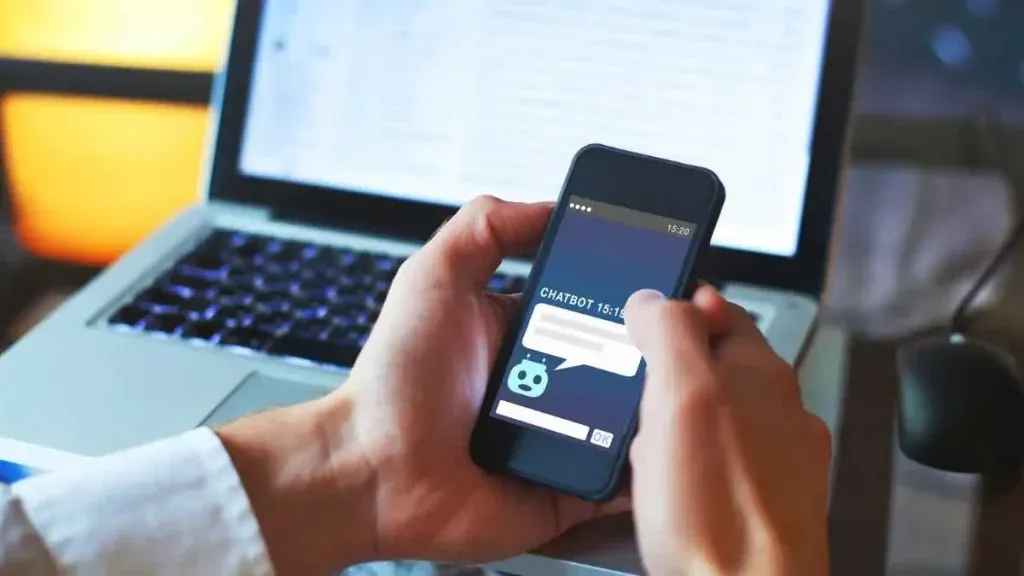
A chatbot is a text-based virtual assistant that lives on your website, in your app, on WhatsApp, Messenger or Teams. It handles FAQs, order tracking, lead capture, after-sales support and internal help desks for employees. It also has a practical advantage that is easy to overlook: it can show things. A link to the returns form, a size chart, the invoice PDF, three buttons to pick from. Over the phone all of this has to be described in words, and the caller has to remember it.
Voicebots

A voicebot does the same job by voice. It is used in call centers, customer service lines, bookings, appointment reminders and for qualifying callers before passing them to an agent. Its main strength is that it asks nothing of the customer: no app to download, no website to find, just the number they already know. That makes it the natural choice in industries where the phone is still the main channel, such as utilities, healthcare, insurance and transport, and for less digital customers.
Chatbots and voicebots compared
The table lists the differences that actually matter when you have to decide.
| Chatbot | Voicebot | |
|---|---|---|
| Channel | Website, app, WhatsApp, social media, Teams | Phone, IVR, smart speakers, voice apps |
| Technology | Language understanding (NLU or LLM) on text | ASR + NLU/LLM + TTS, plus the phone line (SIP or dedicated number) |
| Response time | A few seconds is fine | Has to answer almost instantly, silence on the line is noticeable |
| Content | Text, links, images, buttons, documents | Voice only: information has to fit in a few sentences |
| Typical errors | Off-topic questions, typos | Noise, accents, misheard numbers and names |
| Cost per conversation | Lower | Higher: you also pay for telephony and speech processing |
| Typical use cases | FAQs, e-commerce, lead generation, internal support | Phone support, bookings, call routing, reminders |
One detail that makes a real difference in design is answer length. A chatbot can reply with a paragraph and a bullet list, because the user reads at their own pace and scrolls back if needed. A voicebot that reads a whole paragraph over the phone loses the caller halfway through. That is why the same conversation flow cannot be moved from one channel to the other as it is: voice answers have to be rewritten shorter, with one piece of information at a time and a confirmation question at the end.
Error handling changes too. If a chatbot misunderstands, the user rephrases in a second. If a voicebot mishears a customer ID, it has to ask again, sometimes digit by digit, and there should be a way out to a human agent after two failed attempts. These are design choices to make before launch, not after the first complaints.
From voicebot to voice AI agent
Until a few years ago, a voicebot was in practice a slightly smarter IVR: it understood a handful of phrases defined in advance and followed a tree of options. If the caller said something unexpected, the conversation got stuck. Anyone who has called a helpline and heard "sorry, I didn't get that" three times knows the result. Our guide on voice chatbots vs IVR explains in detail how to move from one to the other.
Today voice AI agents use the same large language models (LLMs) as the most advanced chatbots. This changes three things. The first is understanding: the agent follows requests phrased freely, even long or muddled ones, without a list of phrases to match. The second is action: connected to CRMs, back-office systems and calendars, the agent doesn't just answer but reschedules an appointment, opens a ticket or checks the status of a claim. The third is context: it remembers what the customer said a minute earlier and passes it on to the human agent when it transfers the call, so nobody has to repeat everything.
Text channels went through the same shift, which is the subject of our guide on chatbots and AI agents. The result is that the line between chatbots and voicebots is less and less about intelligence and more and more about channel: the same agent, with the same knowledge base and integrations, can reply in writing on WhatsApp and by voice on the phone. For more on how voice agents work and where they are used, read the complete guide to voice AI agents.
When you need both
Many companies don't choose between chatbots and voicebots: they use both, connected to each other. A concrete example. A customer of an energy provider calls because their bill is higher than usual. The voice AI agent recognizes the caller's number, pulls the latest invoice from the billing system and explains that the amount includes a meter-reading adjustment. The customer wants to see the breakdown, so the agent sends the bill PDF and a link to request an installment plan on WhatsApp. If the customer writes on WhatsApp later, the chatbot already has the context of the call and doesn't start from scratch.
In this scenario voice is there to solve the problem right away, text is there to leave something the customer can check later. It is the same reason why Gartner, in an August survey of customers who use GenAI, advises companies to invest in GenAI for voice experiences as well: customers who start with a third-party AI tool still contact the company when they need to complete a transaction or solve a complex issue.
The same survey points to a limit that applies to both channels. 87% of customers say it is essential to be able to reach a person when a company uses GenAI for customer service, while 50% say GenAI makes their interactions easier and 58% of those who use it have had it complete tasks for them (74% in B2B). Gartner advises against making AI a mandatory first step for every request: customers forced through several failed attempts before reaching a person are less likely to use that tool again. In practice, chatbots and voicebots both need a clear path to a human agent, with the context handed over.
How to choose between chatbots and voicebots
These are the criteria to weigh, in order of importance.
- Where requests come in today. If most contacts come by phone and the call center is overloaded at peak times, a voicebot pays off faster. If customers already write by email, web forms or WhatsApp, start with a chatbot.
- The user's context. People driving, working in a warehouse or with their hands full speak. People at a desk or shopping online type.
- The type of answer. If the answer needs a link, a document or a choice among many options, text works better. If one sentence is enough ("your appointment is confirmed for Tuesday at 10"), voice is quicker.
- Costs and timing. A chatbot costs less per conversation and goes live sooner. A voicebot needs integration with the phone line and more testing of speech recognition quality. For realistic budget figures, see our guide on how much a chatbot costs and the TCO of conversational AI.
- Handover to a human agent. This applies to both: plan it from day one, with clear rules on when to transfer and what information to pass on.
Where to start
The practical advice is to start from your own customer service data, not from the technology. Two numbers are enough: how many requests come in by phone and how many in writing, and what the ten most frequent questions are on each channel. If the top three phone questions are always the same (order status, opening hours, rescheduling an appointment), a voicebot can handle them right away and free up agents for complex cases. If most of the volume is written, a chatbot is the natural first step.
With a platform that runs both channels on the same knowledge base, the first choice isn't final. Start with the channel that has the most volume, measure resolution and transfer rates, and extend the same agent to the other channel once results are stable. One mistake to avoid: launching a voicebot without testing it on real calls, with noise, accents and customers who interrupt. One or two weeks of testing with a small group is enough to find the weak spots before your customers do.
FAQ about chatbots and voicebots
Are chatbots and voicebots the same thing?
No. A chatbot communicates in writing, a voicebot by voice. They can run on the same AI engine, but a voicebot adds speech recognition and speech synthesis and has to answer in real time.
Can I turn a chatbot into a voicebot?
Yes, if the platform supports it. You need a connection to the phone line plus speech recognition and synthesis. The answers need reworking, though: text written to be read, with lists and links, doesn't work over the phone and has to be rewritten shorter.
Which costs more, a chatbot or a voicebot?
Usually the voicebot, because every minute of a call uses speech recognition, a language model, speech synthesis and phone traffic. The fair comparison, though, is with the cost of a call handled by an agent: if the voicebot resolves repetitive requests on its own, it still saves money.
Can a voicebot replace my phone system?
No, it works alongside it. It connects to your existing PBX through a dedicated number or a SIP trunk, answers the calls assigned to it and transfers the rest to extensions.
What is the difference between a voicebot and an IVR?
A traditional IVR makes you pick from numbered options ("press 1 for…"). An AI voicebot understands the request in the caller's own words and can resolve it directly, with no menu.
Which of the two has a faster ROI?
Usually the chatbot, because it is quicker and cheaper to launch. A voicebot catches up fast where call volume is high: there, every call handled automatically is agent time saved.