Crafter.ai - AI Agents Platform
Platform Updates

The latest features released on the Crafter.ai platform

Continuous updates to always offer the best AI technologies. Discover all the news of the Crafter.ai chatbot platform: from the new UI/UX to the proprietary RAG, from Document Manager to generative AI.

50+Features
2020Since
Live Updated
Try the platform for free

With our continuous updates, you can build AI-powered conversational agents faster and more efficiently. We've improved integrations, boosted NLP accuracy, and added new automation features to help you streamline customer interactions. Whether you're optimizing support, lead generation, or internal processes, our SaaS chatbot platform gives you the flexibility and scalability you need.

➡️ Learn more about our technology

2026
11 features
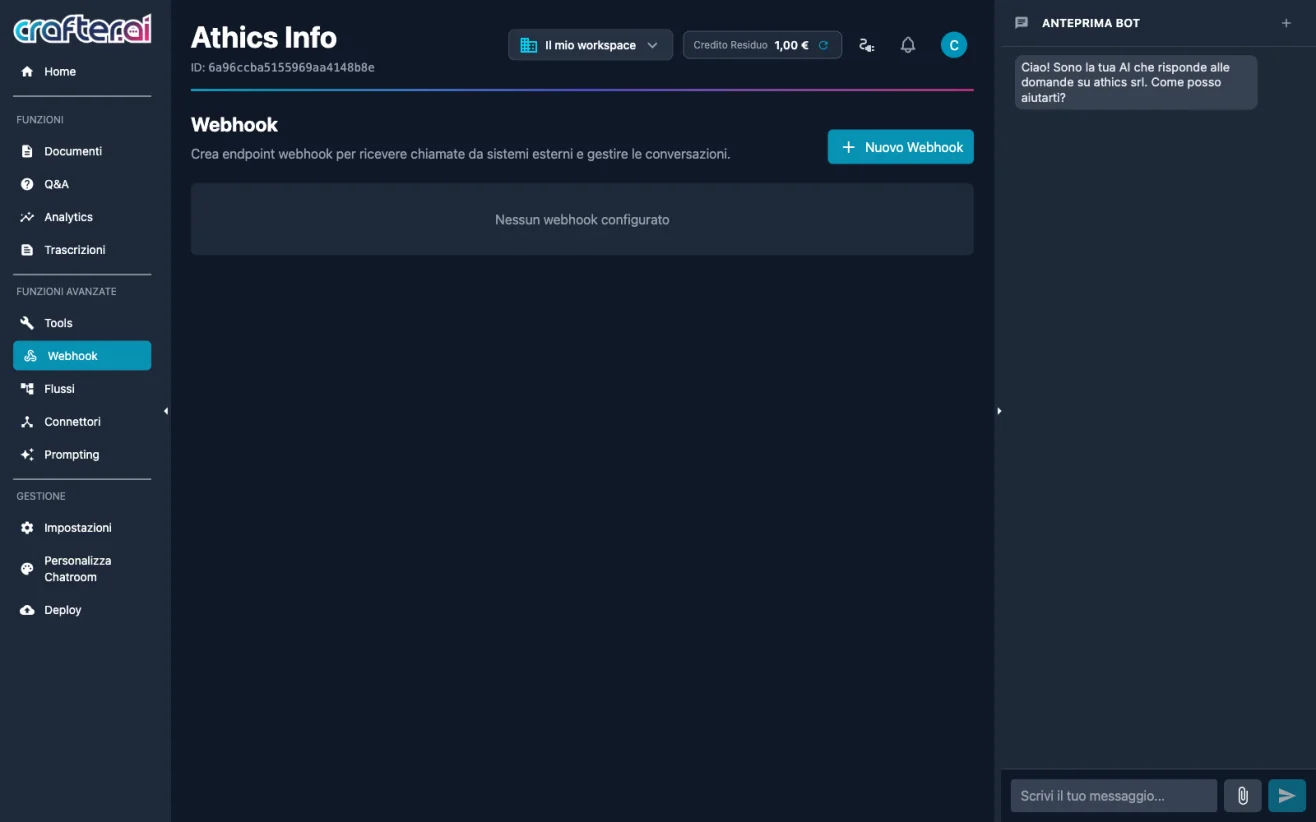
Webhook section with visual node editor in the Crafter.ai chatbot platform
September 2026

Webhooks with Visual Editor

The new Webhooks section lets external systems — CRM, ERP, payment platforms and no-code automations such as Zapier or Make — send data to the bot through dedicated HTTP endpoints. Each webhook automatically generates a unique URL and an authentication API Key, while the response logic is built with a visual node editor: sending messages in the web chat, retrieving conversation history, conditions, external API calls and transfer activation towards a third-party system.

Benefits

  • Two-way integration with CRM, ERP and no-code automations
  • Response logic configured visually, with no code to write
  • Endpoint protected by an API Key you can regenerate at any time
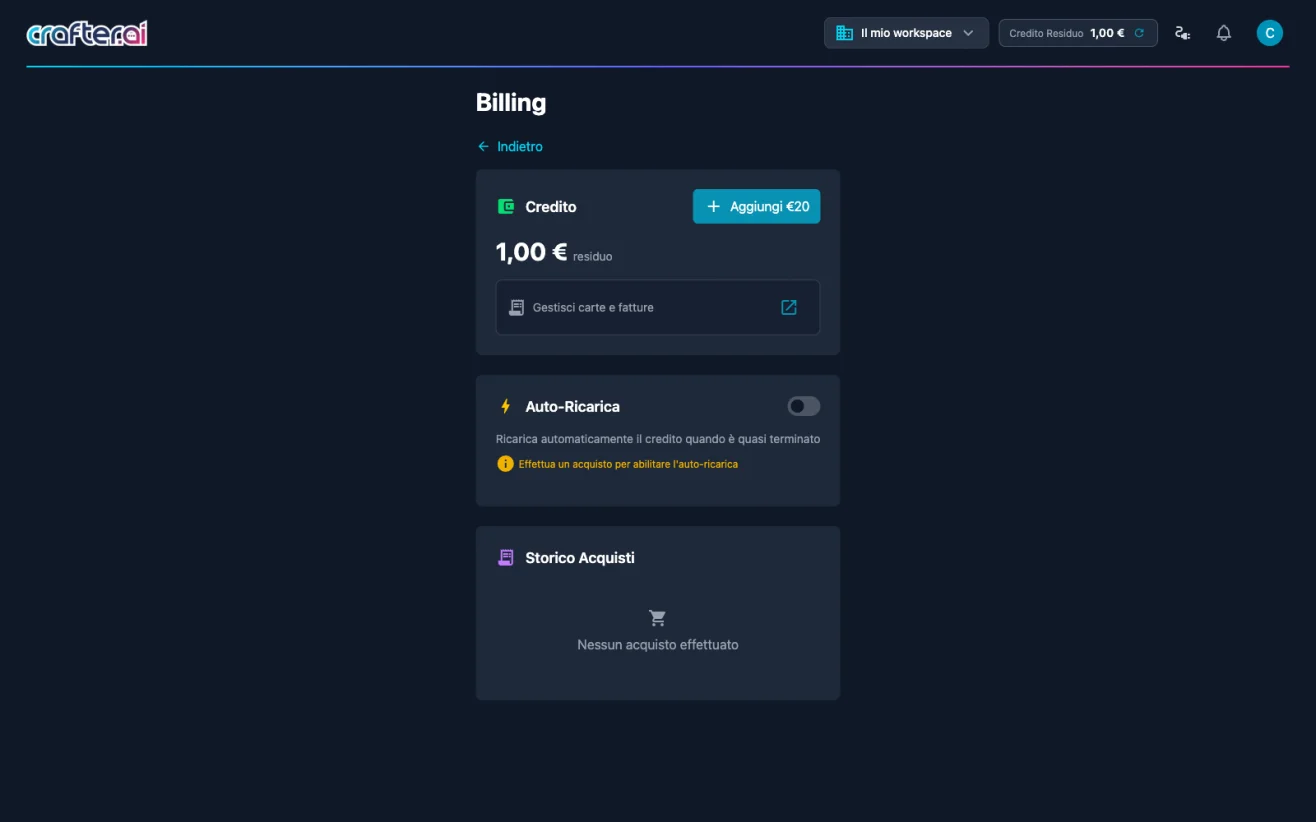
Billing page with pay-as-you-go credit and token monitoring in the Crafter.ai platform
September 2026

Pay-as-you-go Credit and Token Monitoring

Crafter.ai adopts a pay-as-you-go credit system: credit is expressed in euros and is drawn down on every conversation, with no mandatory monthly subscription. The "Remaining Credit" widget in the header always shows the balance and opens the token breakdown panel, detailing tokens consumed, tokens left and the estimated capacity in chat messages or voicebot minutes. From the Billing page you can top up manually, enable auto-recharge and manage cards and invoices through the Stripe portal.

Benefits

  • No mandatory subscription: you only pay for what you actually use
  • Token consumption and remaining capacity always visible from the header
  • Automatic top-up to prevent any service interruption
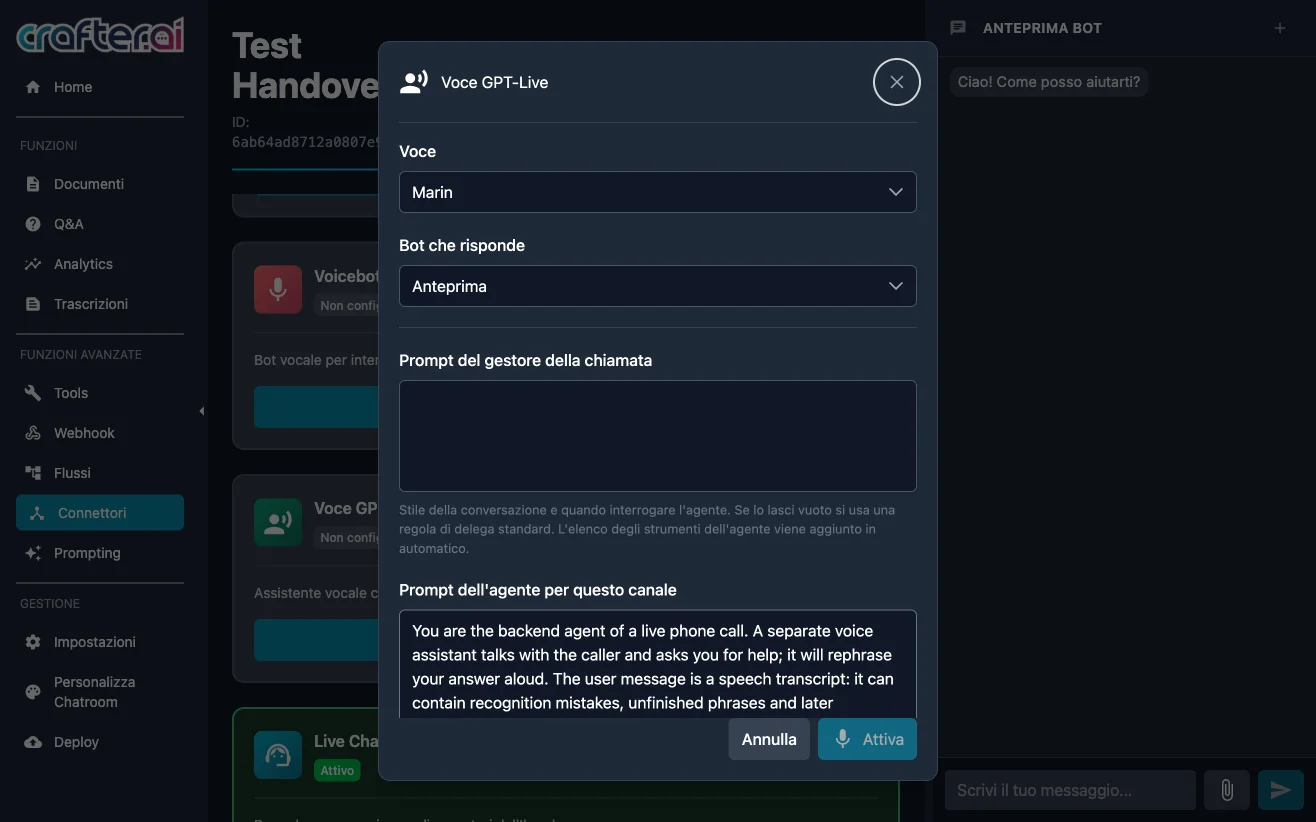
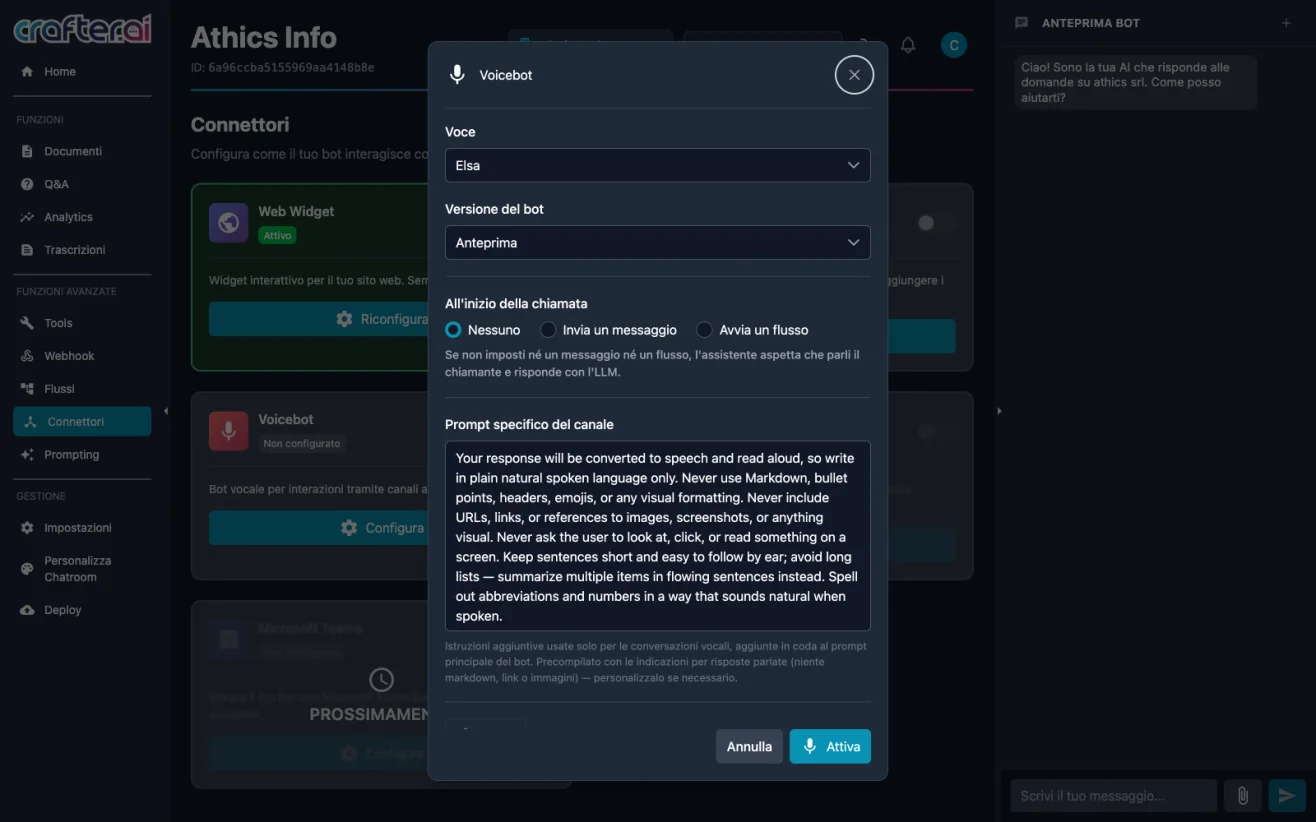
Voicebot channel configuration to let the Crafter.ai AI agent answer the phone
August 2026

Voicebot: Your Bot Answers the Phone

The Voicebot channel takes your bot to the phone: the caller's audio is transcribed into text, processed with the same logic used on the web — Knowledge Base, Q&A, Flows, Tools and System Prompt — and the answer is converted back into speech. The medium changes, the bot's brain does not. From the Connectors section you choose the synthetic voice, the bot version to use and what should happen at the start of the call: stay silent, play an opening message or launch a conversational flow. A channel-specific prompt is also available, useful to adapt the length and tone of answers to spoken conversation.

Benefits

  • The same bot on web and phone, sharing knowledge base and flows
  • Customizable synthetic voice, opening message and initial flow
  • Voice-specific prompt for shorter, more natural spoken answers
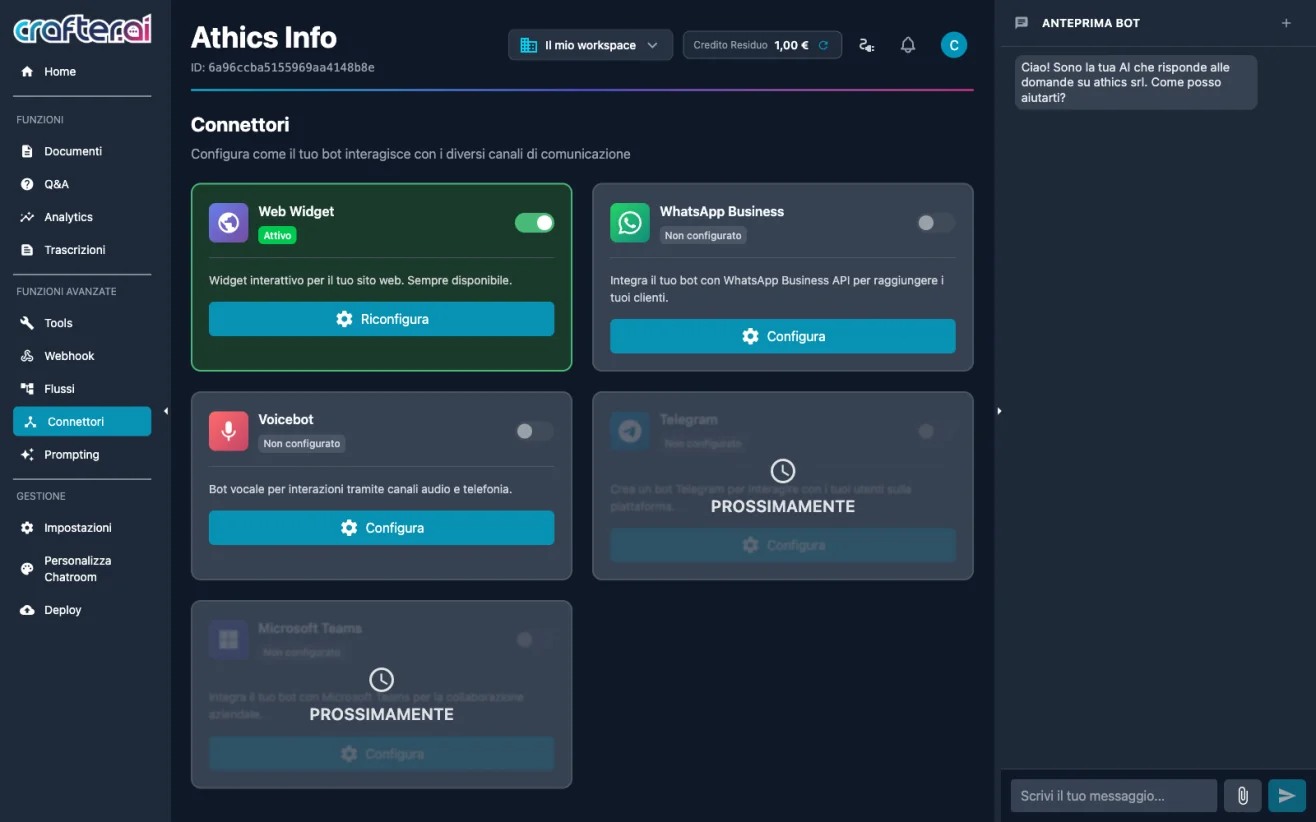
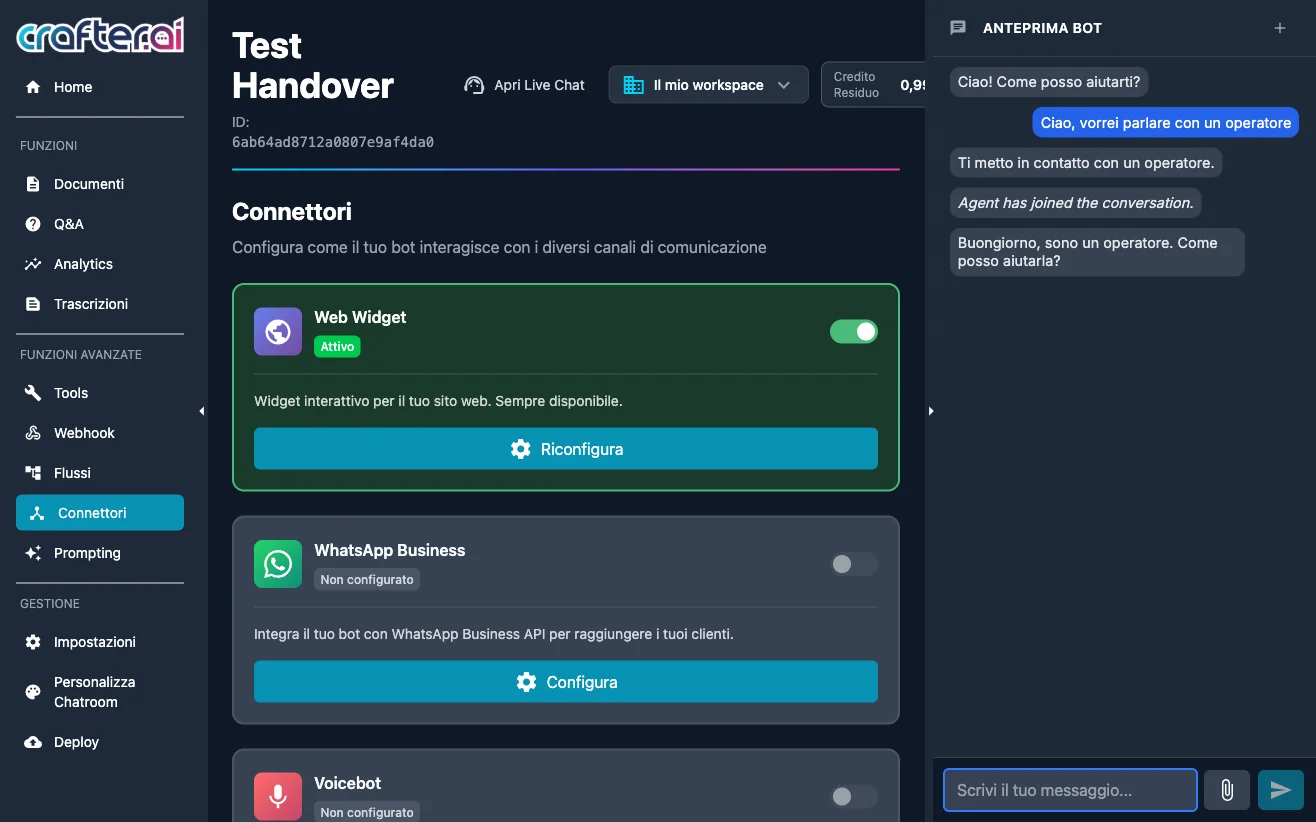
Connectors section with the WhatsApp Business channel of the Crafter.ai chatbot
August 2026

WhatsApp Business Connector

The WhatsApp Business channel can now be configured directly from the Connectors section: enter the country prefix and phone number, choose the bot version and request activation of the number. Once active, the channel provides template management — the pre-approved messages WhatsApp requires to start a conversation — and dedicated nodes in the Flow Editor. The bot stays one and the same: knowledge base, flows, system prompt and tools are shared with the Web Widget and the Voicebot; only the presentation changes.

Benefits

  • Bot available on WhatsApp without duplicating knowledge base and flows
  • Pre-approved template management directly inside the platform
  • Message costs drawn from your credit, with no extra fees
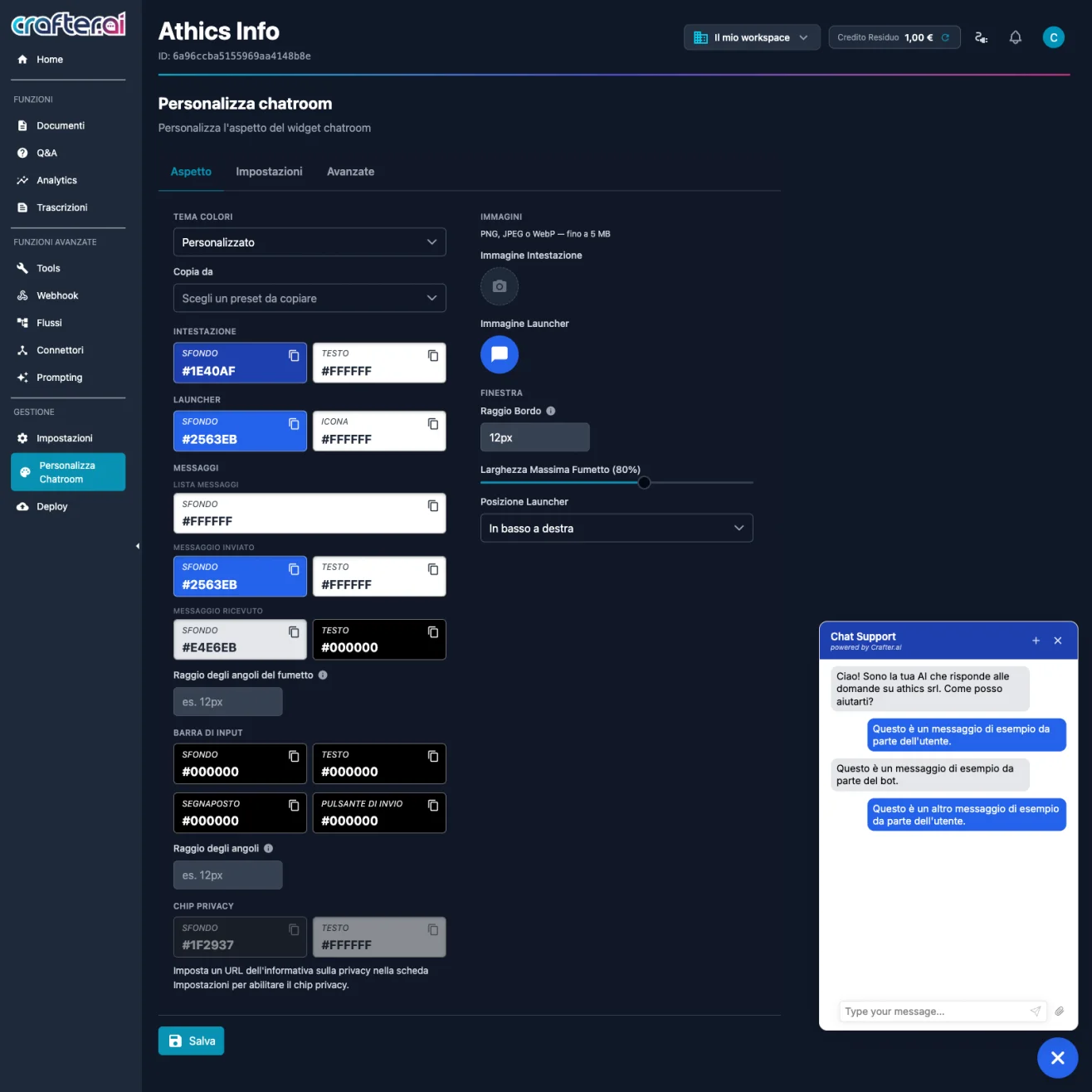
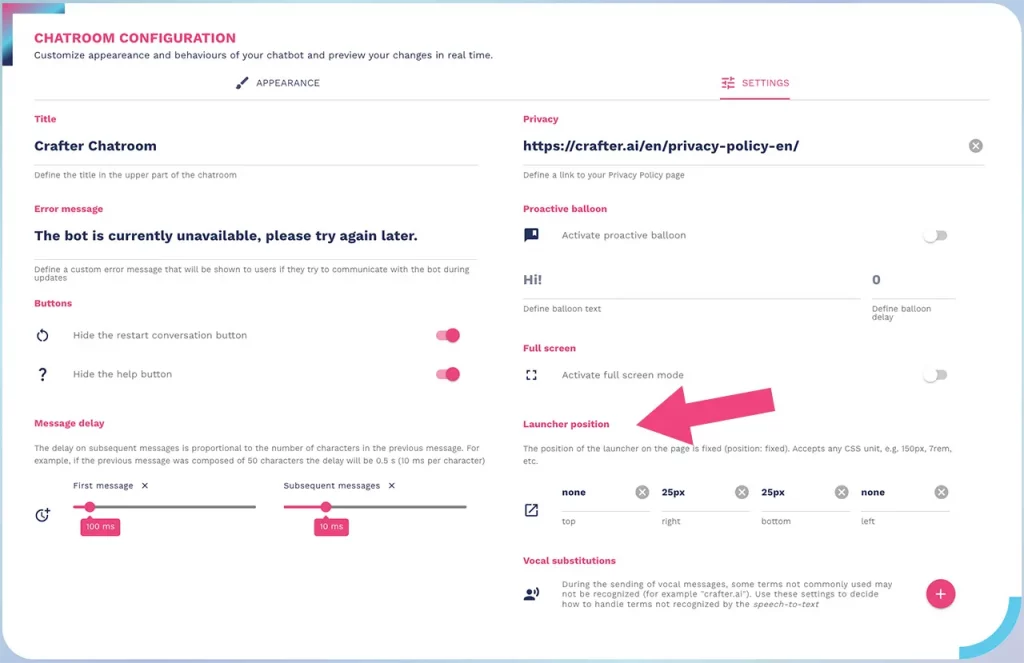
Crafter.ai chatbot widget customization with live preview of colours and texts
August 2026

Chatroom Customization with Live Preview

The Chatroom Customization section gathers the entire look of the chat widget into three tabs. The Appearance tab sets the colour tokens for header, launcher, sent and received messages, input bar and privacy chip, along with images, corner radius, maximum bubble width and launcher position. The Settings tab handles widget texts and the conversation opening behaviour, while the Advanced tab exposes custom CSS and JavaScript editors for the most specific needs. A floating preview shows every change in real time.
Benefits

  • Widget aligned with your brand without touching your website code
  • Floating preview that updates instantly with every change
  • Custom CSS and JavaScript for advanced customization
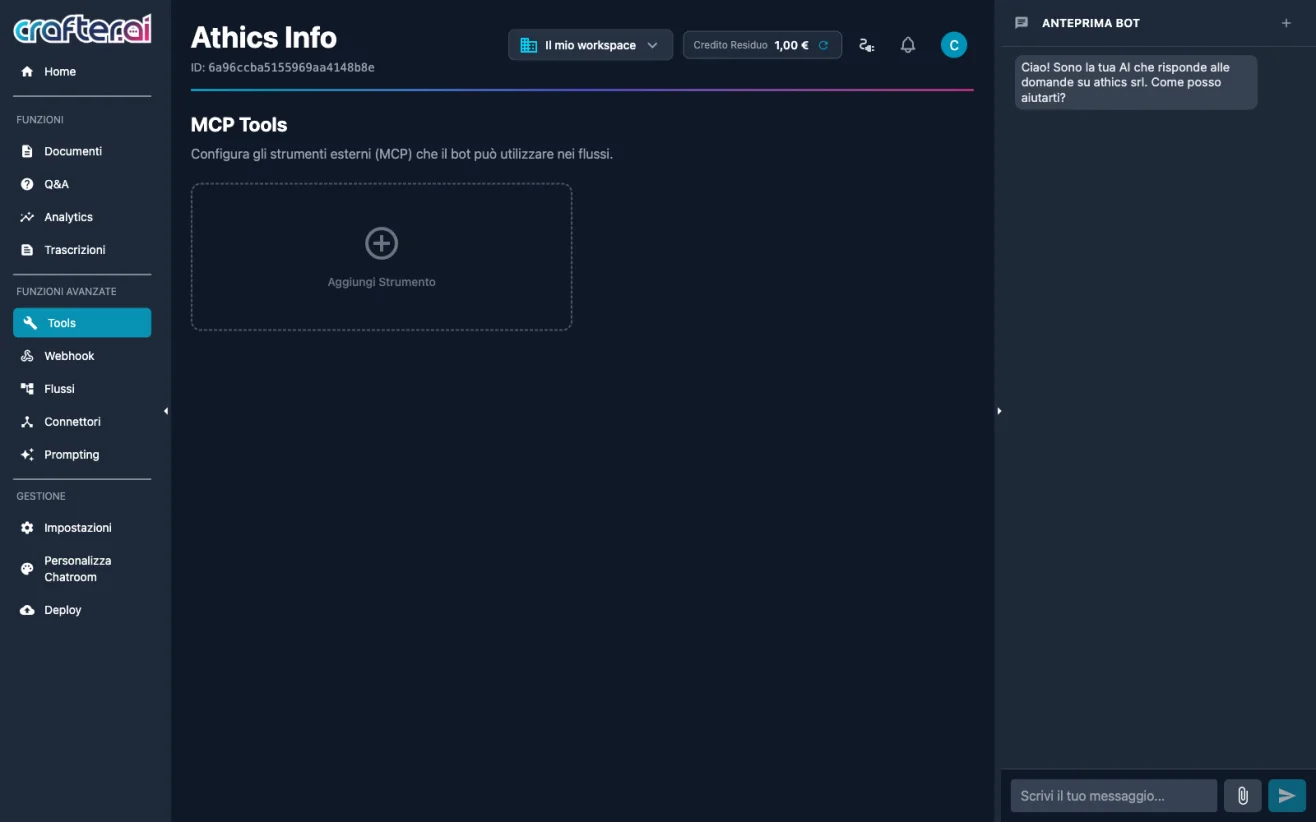
MCP Tools section to connect external tools to the chatbot in the Crafter.ai platform
July 2026

MCP Tools

The Tools section connects the bot to external tools and services through MCP (Model Context Protocol), extending its capabilities beyond conversation. You can build a custom tool with a visual editor, defining input parameters, execution logic and output, or connect an external HTTP MCP server via HTTP/SSE to reuse services you already have. Each tool can have multiple instances with different configurations, a visibility toggle for the agent and tags that restrict its use to relevant conversations only. Tools are called automatically by the agent based on the System Prompt, or explicitly through the "Use Tool" node in Flows.

Benefits

  • Custom tools built visually, with no dedicated backend
  • Connection to existing external MCP servers via HTTP/SSE
  • Precise control over when and in which conversations the agent may use each tool
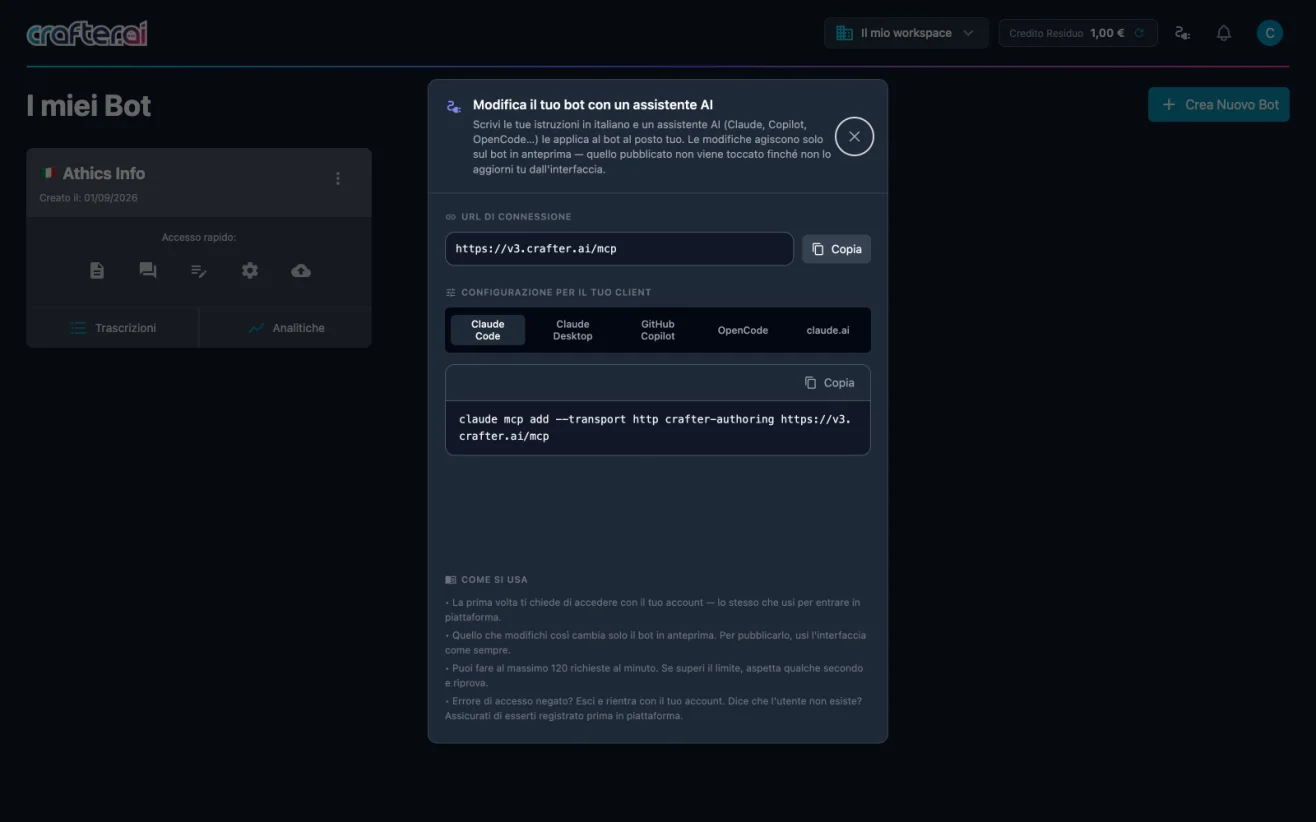
Connection dialog linking an AI assistant to the Crafter.ai authoring MCP server
July 2026

Bot Configuration with an AI Assistant

Crafter.ai exposes an authoring MCP server that lets you modify your bot in natural language from an external AI assistant — Claude Code, Claude Desktop, GitHub Copilot, OpenCode or claude.ai. Just connect your client to the platform connection URL and write your instructions in plain language: "add a Q&A about...", "change the system prompt so that...", "create a flow that...". The assistant reads and writes directly on the bot data, with no API key to generate or manage: on first use you sign in with your own account, and from then on the assistant operates with your permissions, on the workspaces and bots you have access to. Changes apply to the preview bot, not to the published one.

Benefits

  • Bot configuration in natural language, without going through the interface
  • No API keys to manage: sign in with your own account and permissions
  • Changes stay on the preview bot until you decide to publish
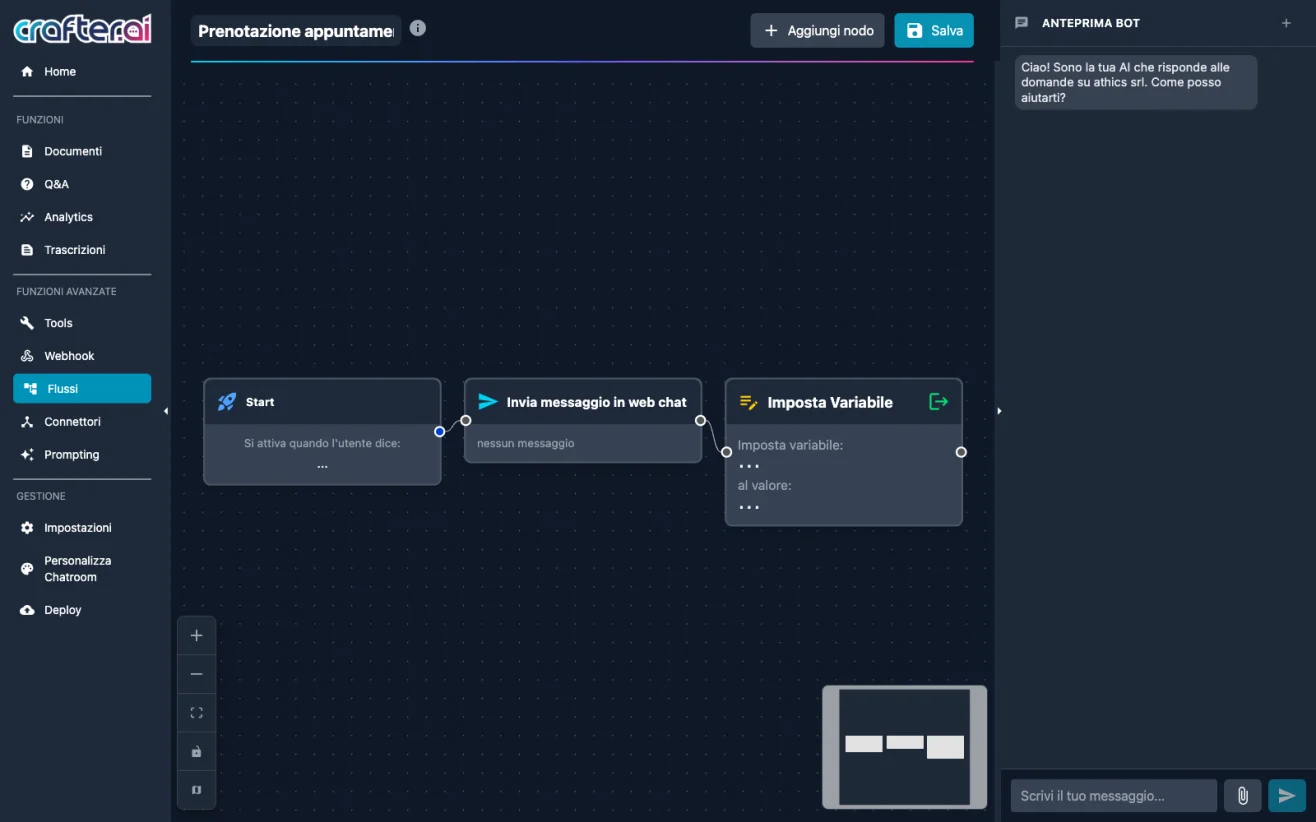
Visual Flow Editor canvas to build the conversational flows of the Crafter.ai chatbot
July 2026

New Visual Flow Editor

The v3 Flow Editor is a drag-and-drop canvas where nodes are added from a side panel and connected with arrows to define the conversation path. Nodes are organised into four categories: Messages, to send text or HTML in chat, wait for the user's reply or hand over to the generative AI; Logic, with conditions, variables, custom JavaScript execution and conversation tagging; Integrations, with API calls, MCP tool execution and intent checking; Conversation, to retrieve the chat history. The result is the freedom to alternate deterministic steps and generative answers within the very same flow.

Benefits

  • "Send message to agent" node to alternate guided flows and generative AI
  • "Use Tool" node to call MCP tools from inside a flow
  • Conversation tagging directly from the conversational flow
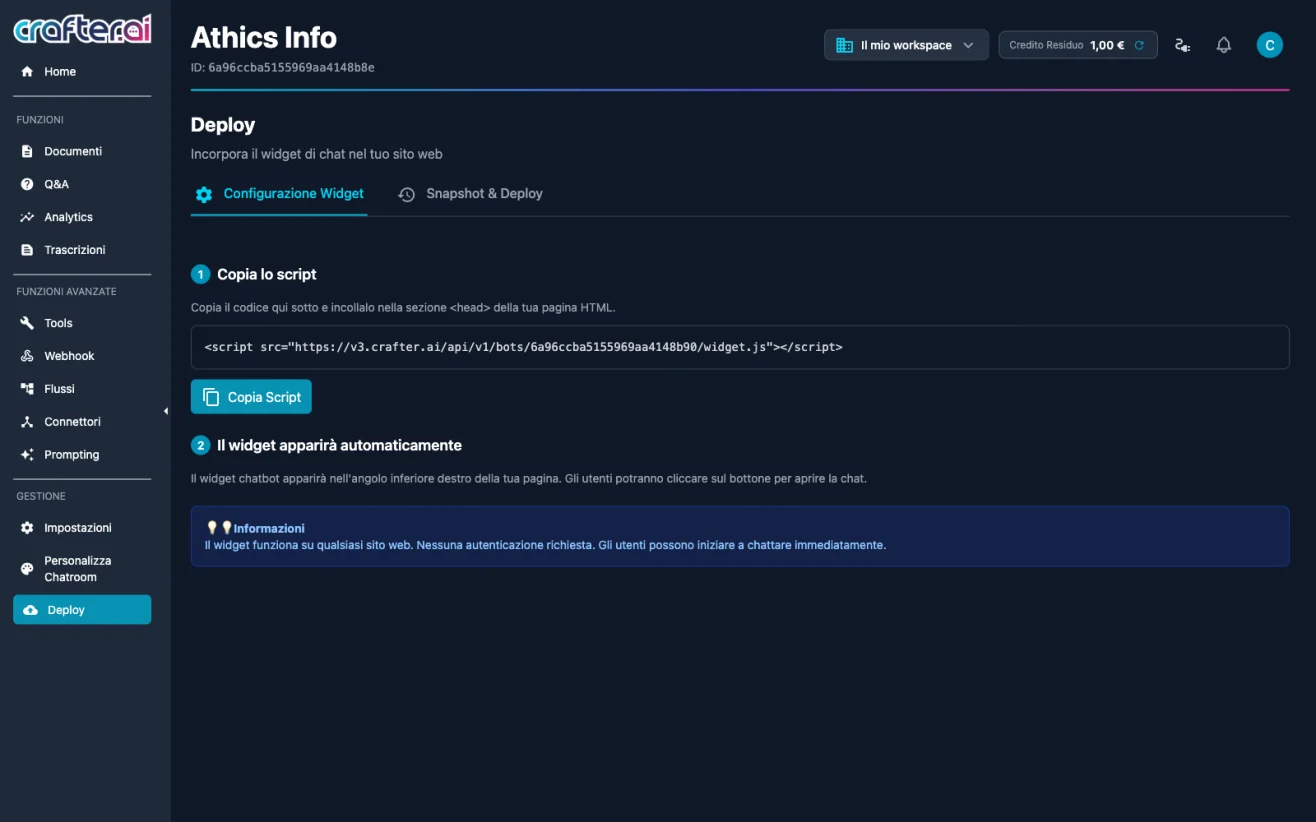
Deploy section with snapshots and production publishing of the Crafter.ai chatbot
July 2026

Snapshots and Production Deploy

The Deploy section introduces snapshots: a complete picture of the preview bot state, including knowledge base, documents, Q&A, flows, tools, webhooks, connectors, MCP servers and system prompt. From a snapshot you can publish — overwriting the production bot, the one answering in the public widget — or restore, overwriting the preview bot you are working on. Before every operation the platform computes the comparison against the current state and shows, category by category, which items will be added and which removed.

Benefits

  • Clear separation between the preview bot and the production bot
  • Detailed comparison before every publish or restore
  • Quick rollback to a previous version by restoring a snapshot
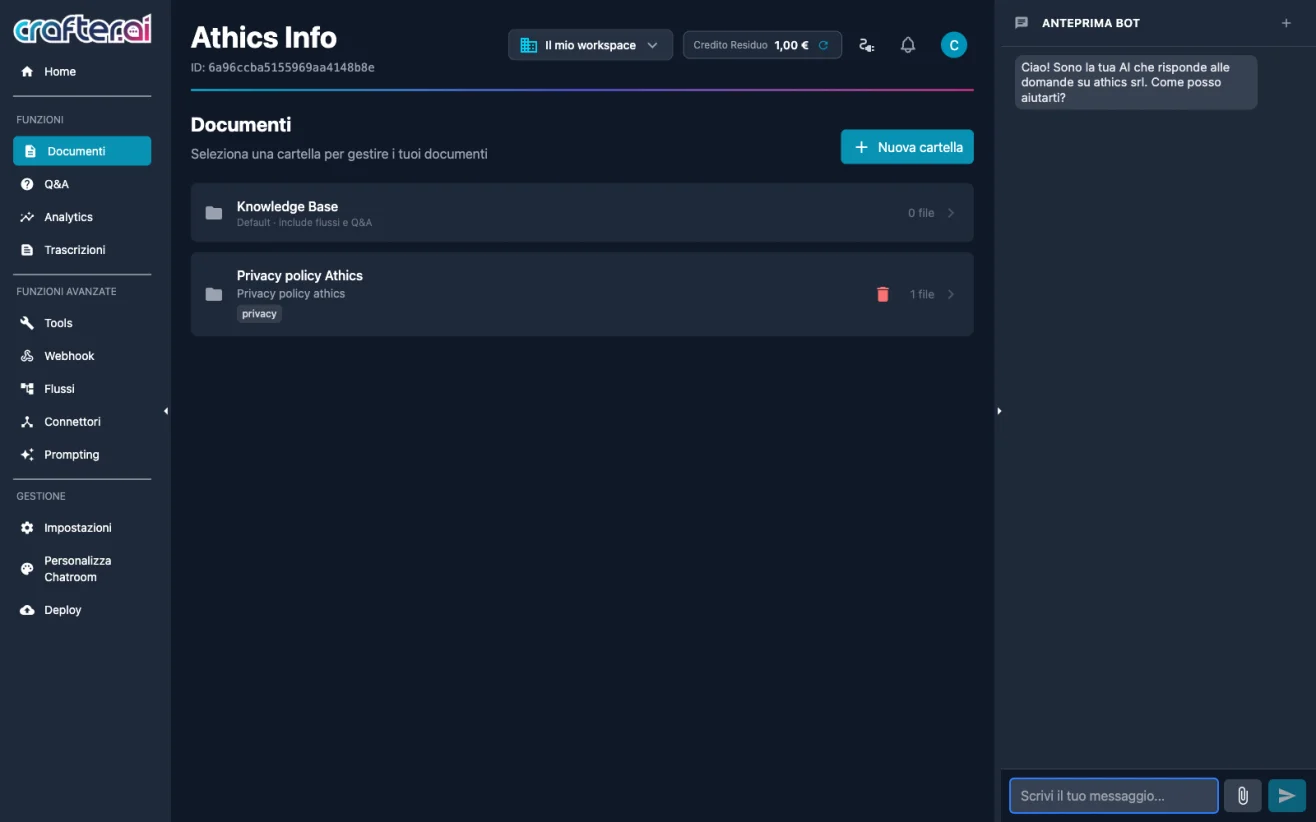
Tags on Crafter.ai chatbot knowledge base folders to segment content
July 2026

Tags on Documents, Conversations and Tools

Tagging becomes a cross-cutting system across the whole platform. Tags apply to knowledge base folders to steer document retrieval, to conversations through the "Tag conversation" node in flows, and to tools, which remain visible to the agent only in conversations carrying all the required tags. The same tags can then be used as a filter in Transcripts, to quickly isolate the conversations about a given topic or journey.

Benefits

  • A single tagging system for documents, conversations and tools
  • The agent only sees the content and tools relevant to the context
  • Tag filter in transcripts for focused conversation analysis
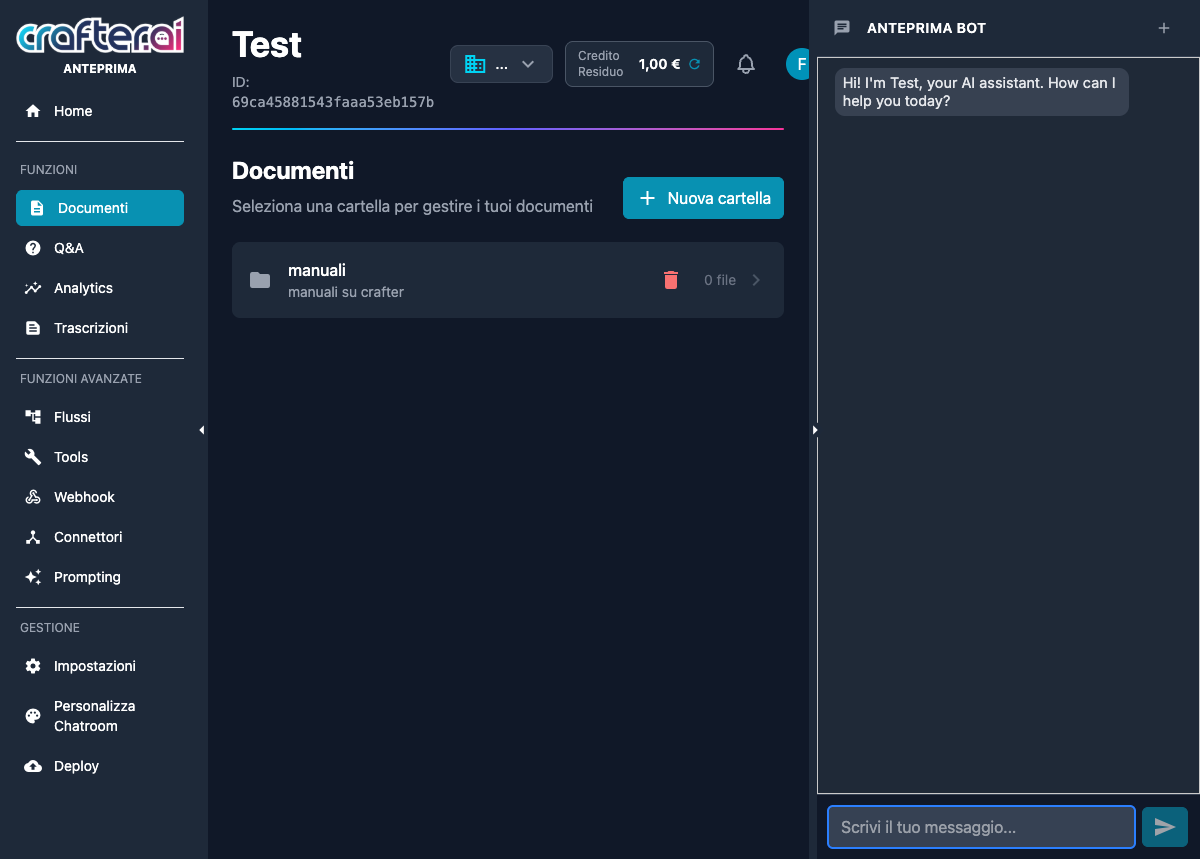
Bot detail view in the new Crafter.ai v3 platform
June 2026

Crafter.ai Platform v3

Official launch of Crafter.ai Platform v3, built on a new technology stack that makes creating AI agents dramatically easier than in previous versions, while maintaining the same high performance standards. v3 completely redesigns the bot configuration and management process: fewer steps, a more intuitive interface, and direct access to all settings from a single screen. The result is a platform accessible even to non-technical users, with the same power and reliability that defines Crafter.ai.

Benefits

  • AI agent creation made dramatically easier thanks to the new technology
  • High performance maintained despite the drastic reduction in complexity
  • Direct access to configuration, analytics and tools from a single screen
2025
9 features
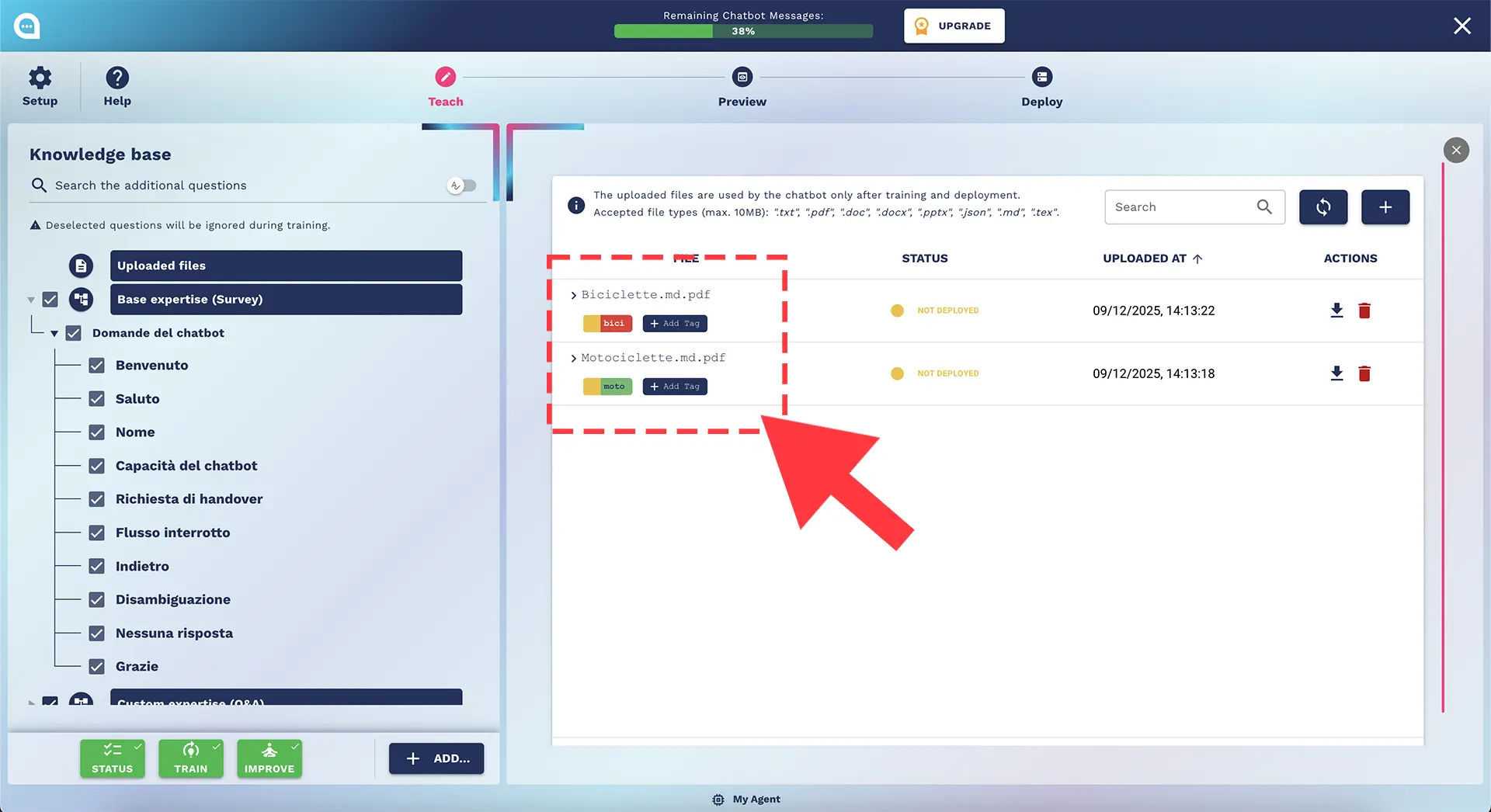
How to add tags in chatbot knowledge base documents
December 2025

Document Tagging

The Tagging feature segments the knowledge base into compartments, allowing the chatbot to use only the documents relevant to the conversation context.

Benefits

  • Greater accuracy in responses
  • Reduced information noise
Deep search across chatbot knowledge base and conversational flows
September 2025

Deep Search

You can now easily find texts and intents not only in the main Knowledge Base list, but also within the nodes used in conversational flows.

Benefits

  • Find Q&A and intents wherever they are, even within flow nodes
  • No more manual searching through conversation flows
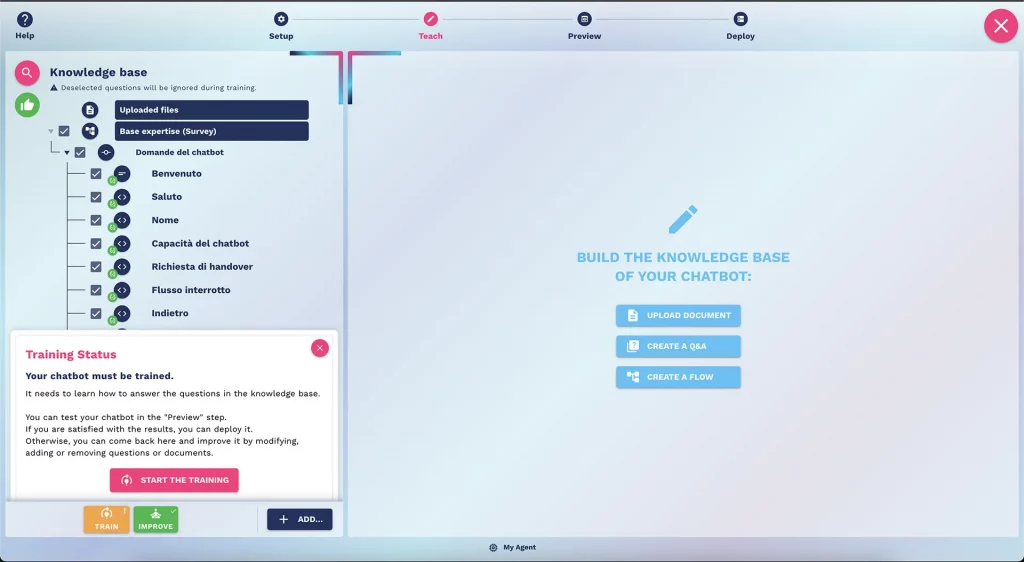
New UI UX interface of the Crafter.ai chatbot platform
July 2025

New UX & UI

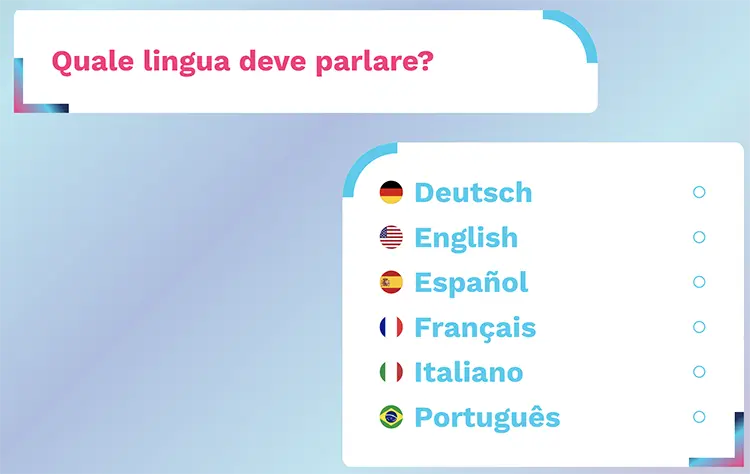
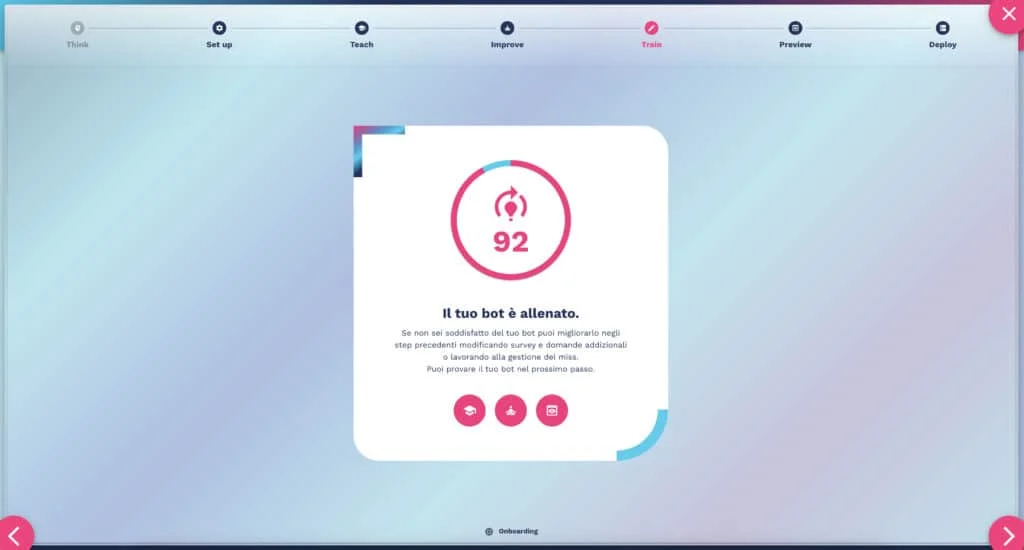
The new Crafter.ai UI/UX streamlines the process with fewer steps and direct access to agent creation. Instantly select the language, activate handover, GenAI, and social connectors. Create and train the knowledge base in just a few clicks with the integrated proprietary RAG.

Benefits

  • Streamlined process with fewer steps
  • Direct access to AI agent creation
  • Quick setup for language, handover, and connectors
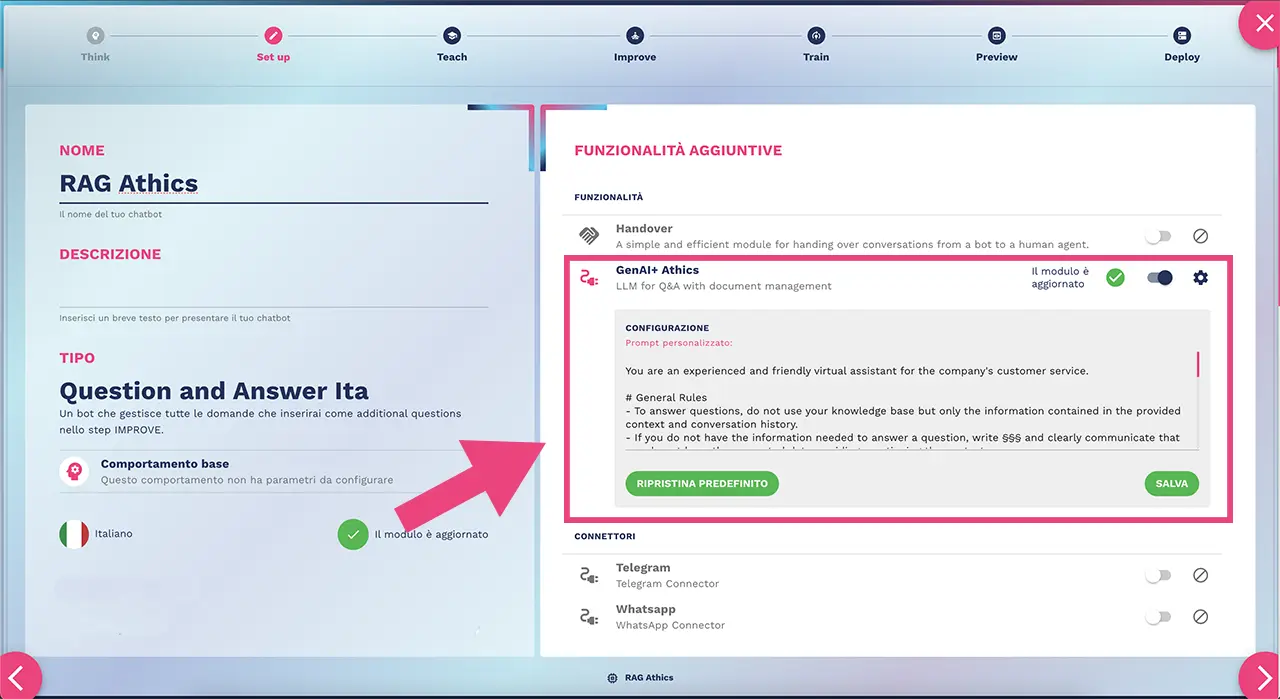
Crafter.ai proprietary RAG system with customizable system prompt
May 2025

New Proprietary RAG

Proprietary RAG (Retrieval-Augmented Generation) system with a prompt system for custom definition of the model's behavior, tone and role. Data stays under your control without being sent to third parties.

Benefits

  • Instant response times even with large volumes of data
  • Security and control of information (data not sent to third parties)
  • Personalization and greater consistency with the system prompt
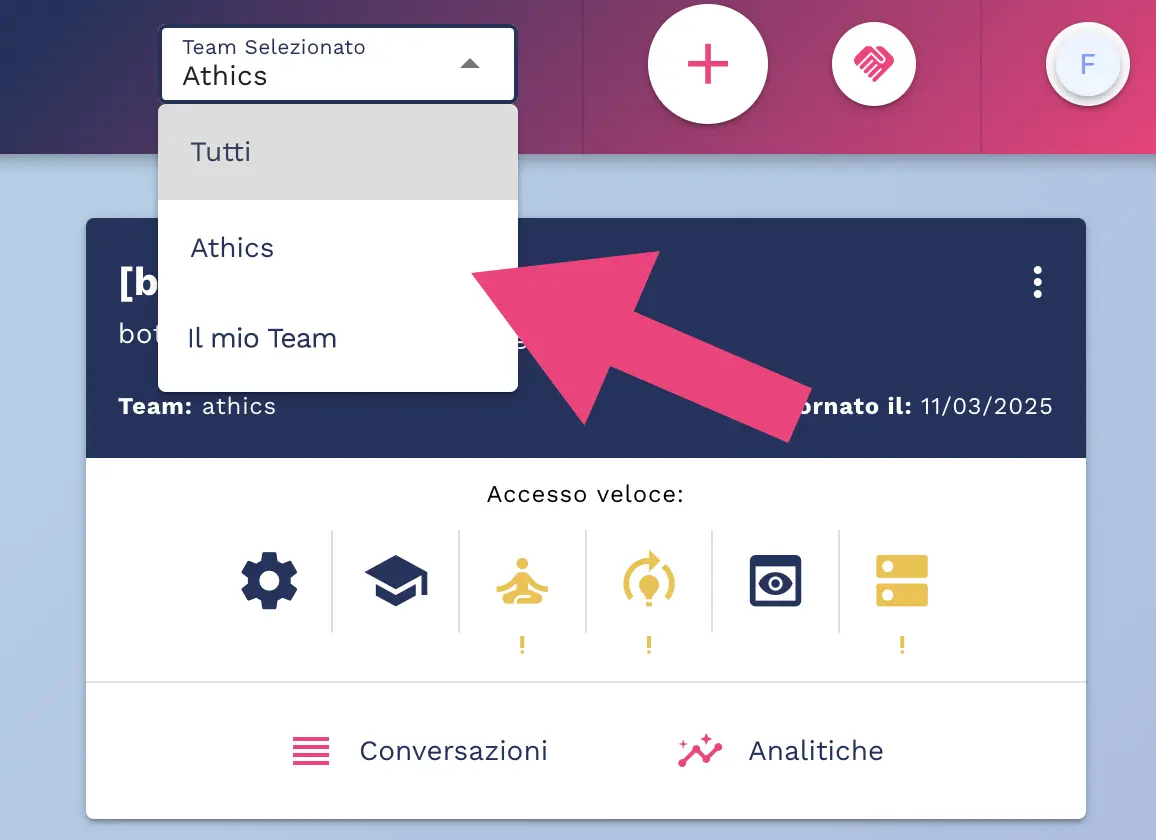
Team selector in Crafter.ai chatbot platform
April 2025

Team Selector

It is now possible to select the active team directly from the top-bar. The function allows you to view only the chatbots associated with the selected team, for clearer and more efficient management. If the user belongs to only one team, the selector will not be shown.

Benefits

  • Simplified chatbot management by team
  • Greater organization and clarity in the platform
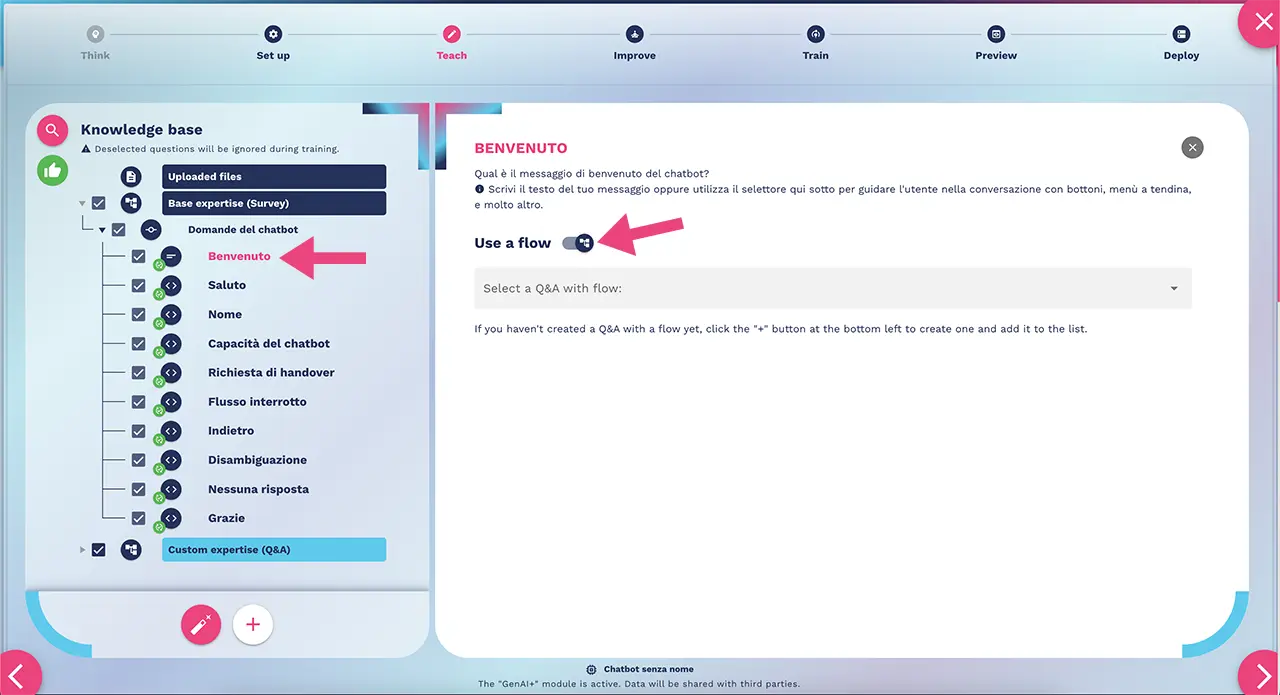
Proactive chatbot engagement feature in Crafter.ai welcome message
March 2025

Proactive Engagement

The new feature allows to start a flow within the chatbot's welcome message. Unlike the static text message, the new function makes the bot proactive in guiding the user through the conversation. It is possible to choose whether to limit the conversation to the flow or leave room for free questions.

Benefits

  • Better user engagement
  • More intuitive and guided navigation
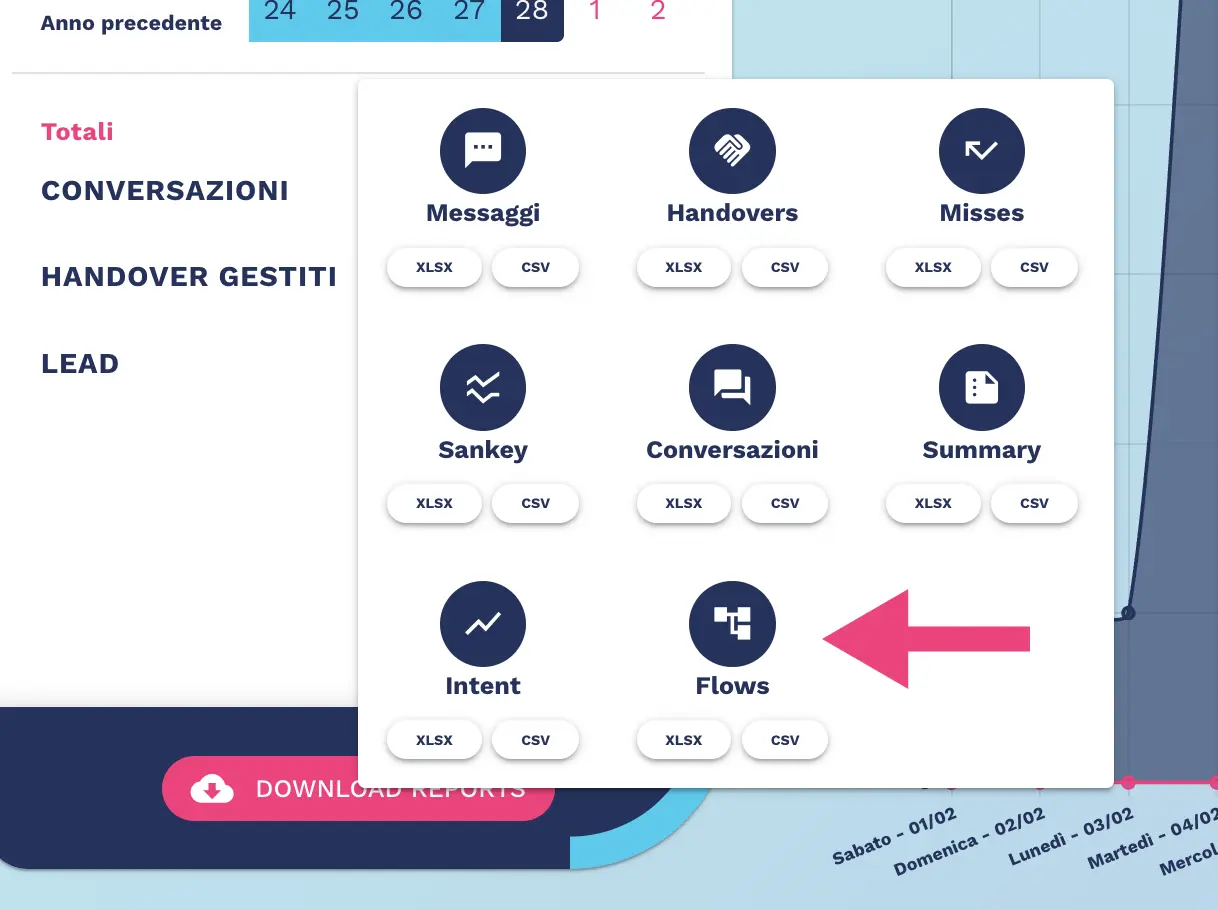
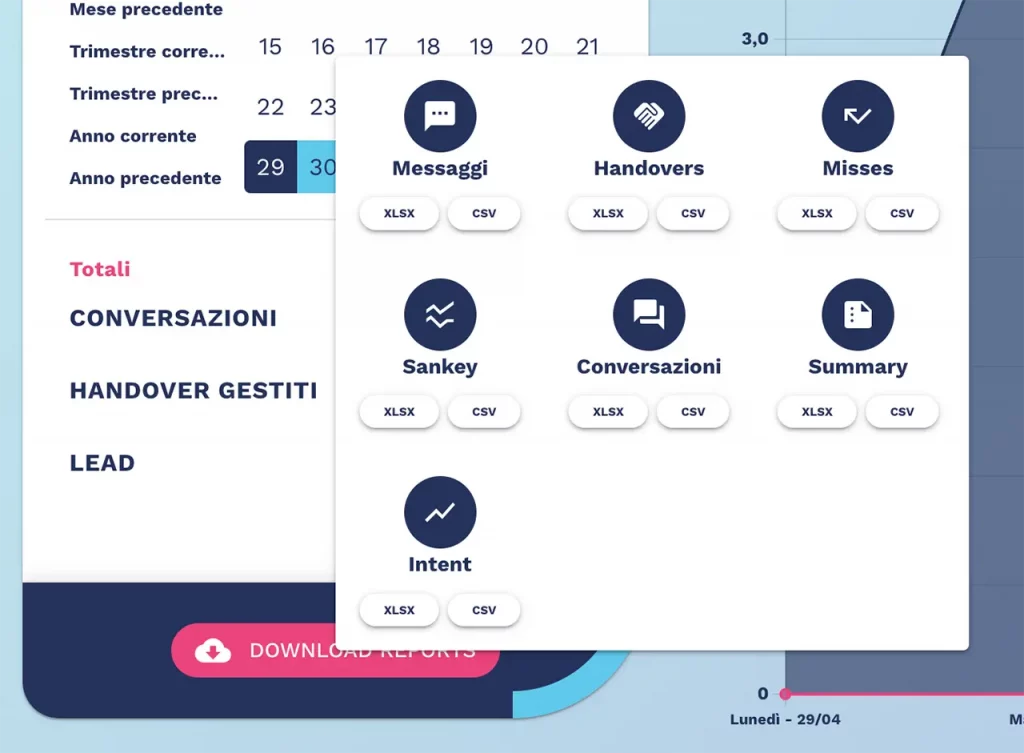
Conversational flow analytics report for Crafter.ai AI agent
February 2025

Report Flows Analytics

The new feature allows you to download reports for monitoring and analyzing the flows created on the platform. Discover how many users complete the flow efficiently and identify where users abandon the process, enabling you to optimize the experience.

Benefits

  • User experience optimization based on real data
  • Increased conversions by reducing abandonment rates
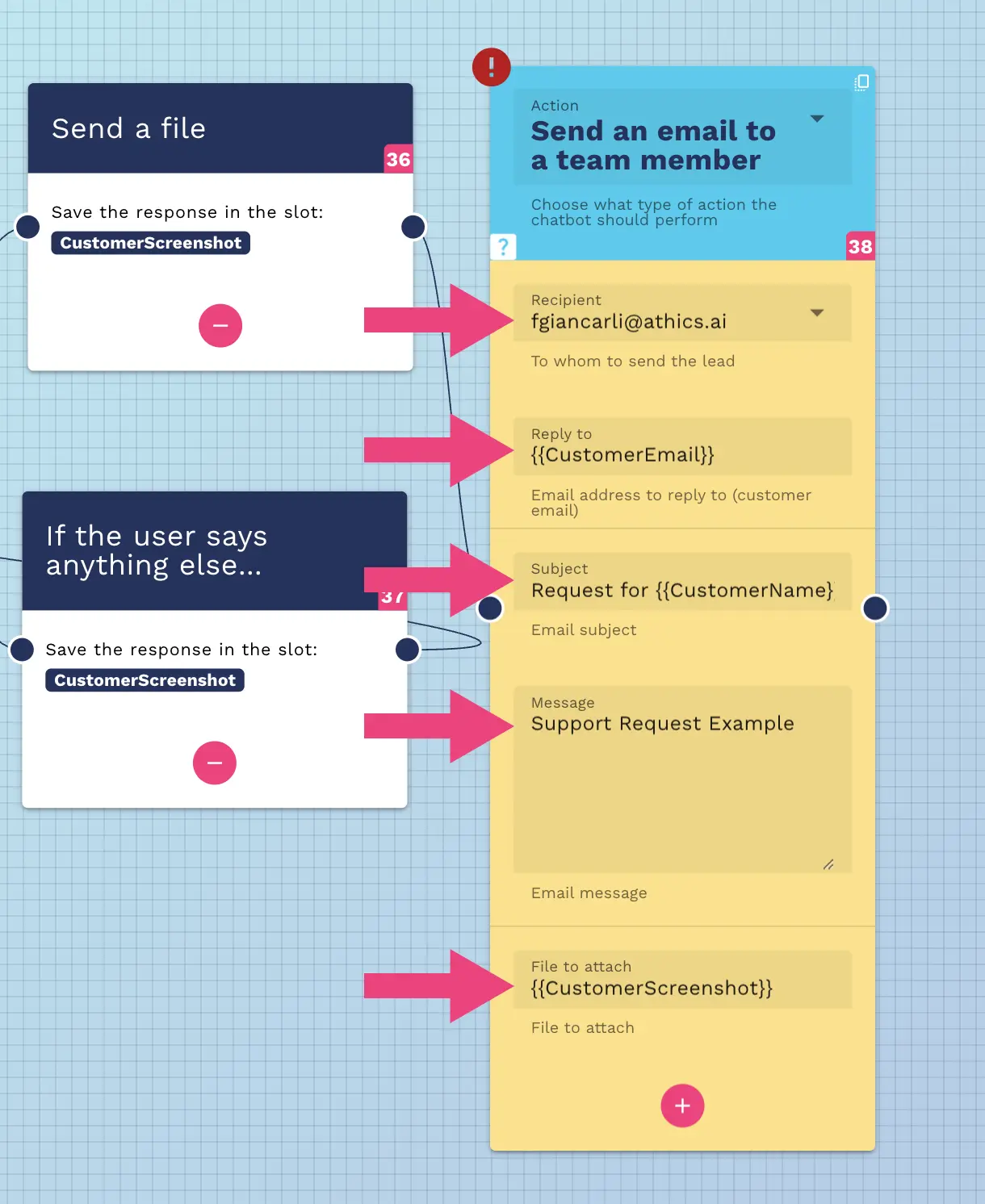
How to configure Crafter.ai AI agent for automatic email sending
February 2025

AI Agent Email Sending

The functionality allows you to configure your AI Agent to send emails to team members or customers. The Flow Designer node "send an email to a team member" collects leads, sends notifications and updates on request status. Use the SMTP node to set up your server with a custom domain.

Benefits

  • Users can report issues quickly and in detail
  • Faster resolution and response times
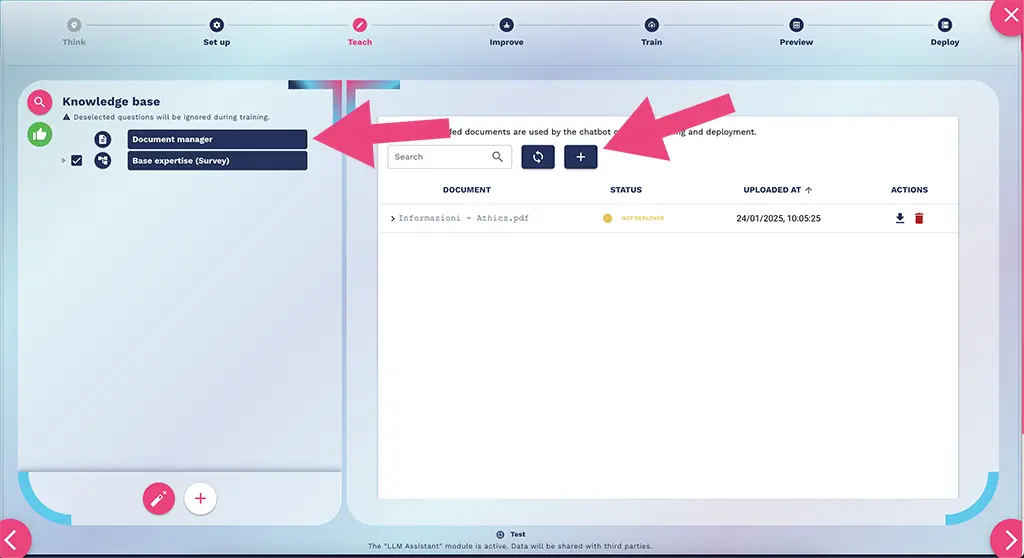
Document Manager RAG and LLM for document management in Crafter.ai AI agents
January 2025

Document Manager (RAG)

The new Document Manager uses RAG (Retrieval-Augmented Generation) and LLM (Large Language Models) technologies to optimize the integration of documents within the knowledge base of AI agents and encourage complete management autonomy by users.

Benefits

  • Extremely fast knowledge base creation phase
  • More accurate responses as AI agents draw directly from uploaded documents
2024
25 features
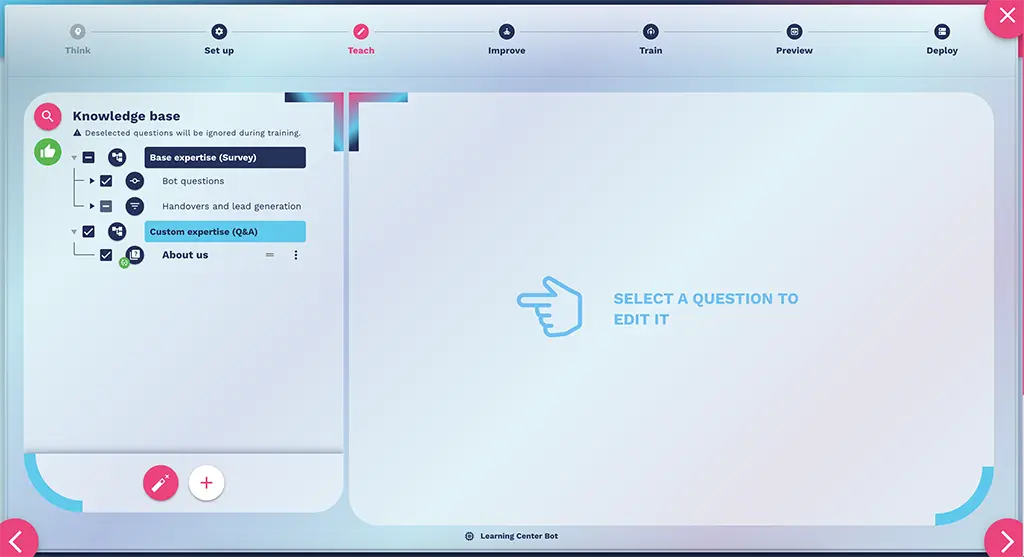
New full-screen editor for Crafter.ai chatbot knowledge base
December 2024

New Editor Knowledge Base

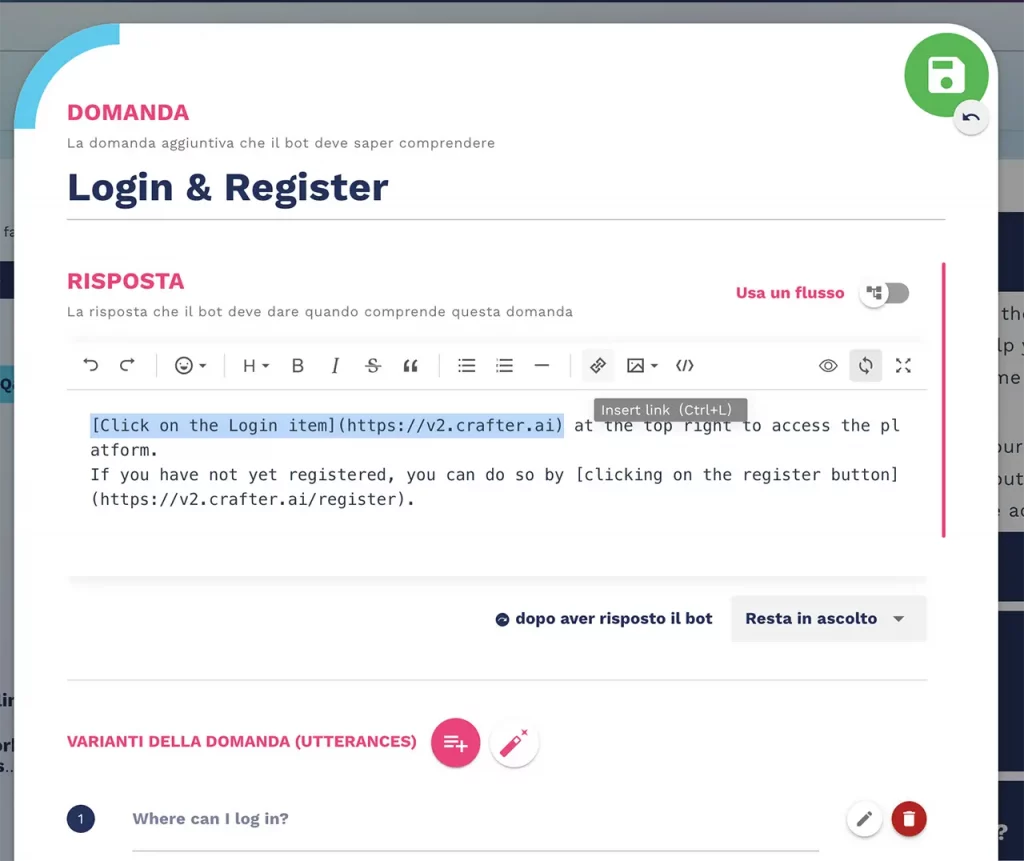
With the new full-screen editor, Crafter.ai makes it even easier and more intuitive to customize individual Q&As. The full-screen editor allows you to work on one question at a time for a more accurate and detailed editing experience.

Benefits

  • Full-screen editor for more comfortable editing
  • Improved user experience with more accurate and detailed editing
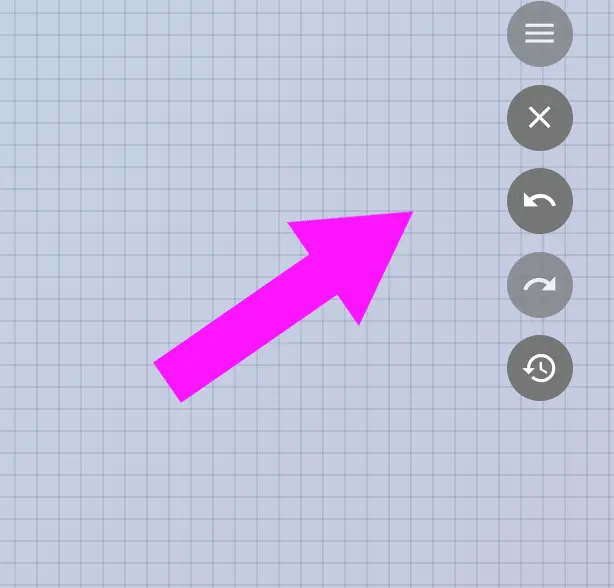
Autosave and CTRL+Z function in Crafter.ai chatbot Flow Designer
December 2024

Autosave + CTRL+Z

This feature enables automatic real-time saving of any changes made to conversation flows. Never risk losing your work again: changes are automatically saved as you work.

Benefits

  • Automatic saving to reduce the risk of data loss
  • Enhanced operational efficiency without workflow interruptions
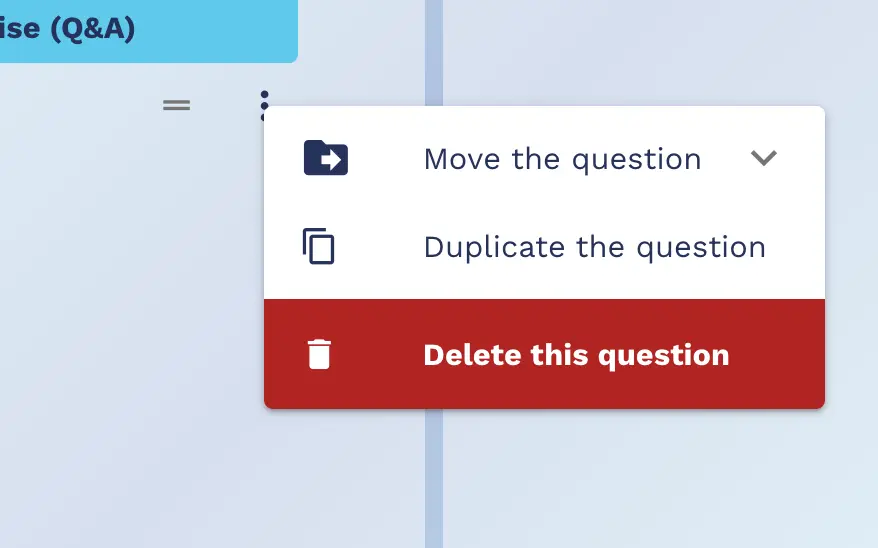
Cut and paste questions function in chatbot knowledge base
December 2024

Q&A Cut & Paste

This feature allows users to quickly and flexibly duplicate a Q&A. When duplicating, users can choose to retain the utterances, meaning they can copy not only the Q&A structure but also all associated phrase variations, enabling full replication of the element.

Benefits

  • Time-saving when building the knowledge base
  • Better organization and consistency in bot responses
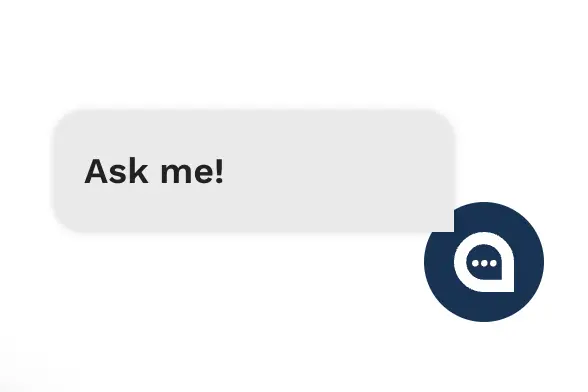
Balloon launcher for proactive message of Crafter.ai chatbot
December 2024

Balloon Launcher

The new feature allows you to set a proactive engagement message for the chatbot next to the bot launcher to invite the user into the conversation. Customize the number of seconds after which the message will appear to maximize engagement.

Benefits

  • Increases customer engagement proactively
  • Optimizes chatbot presence and visibility
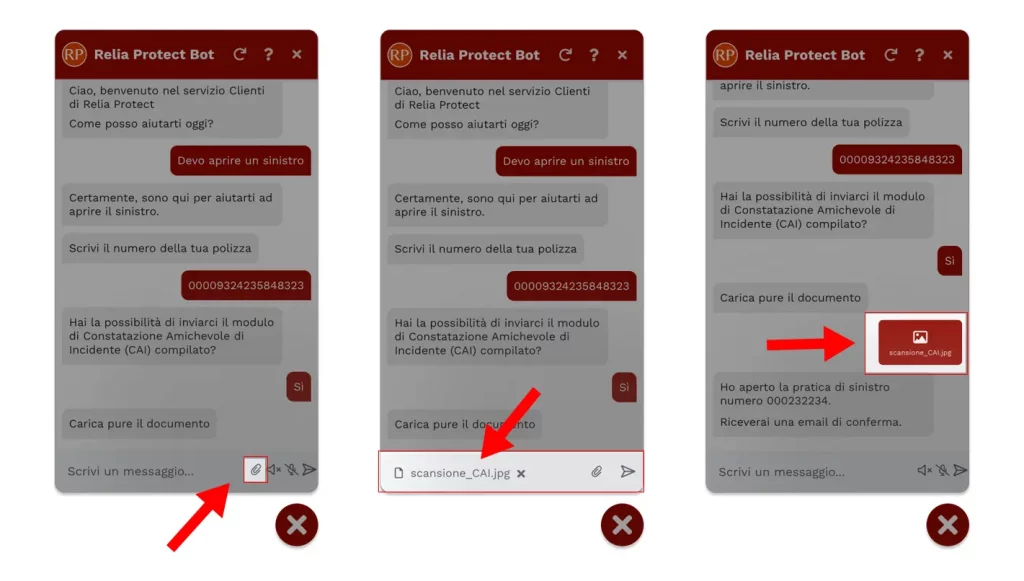
File attachment feature for uploading documents and images in chatbot
November 2024

File Attachment

The feature allows you to enable the uploading of images and documents directly into the conversation flow. The bot requests the file upload and automatically returns the upload confirmation or any alternative user action.

Benefits

  • Simplified data collection directly within the conversation flow
  • Users can upload images or documents without switching channels
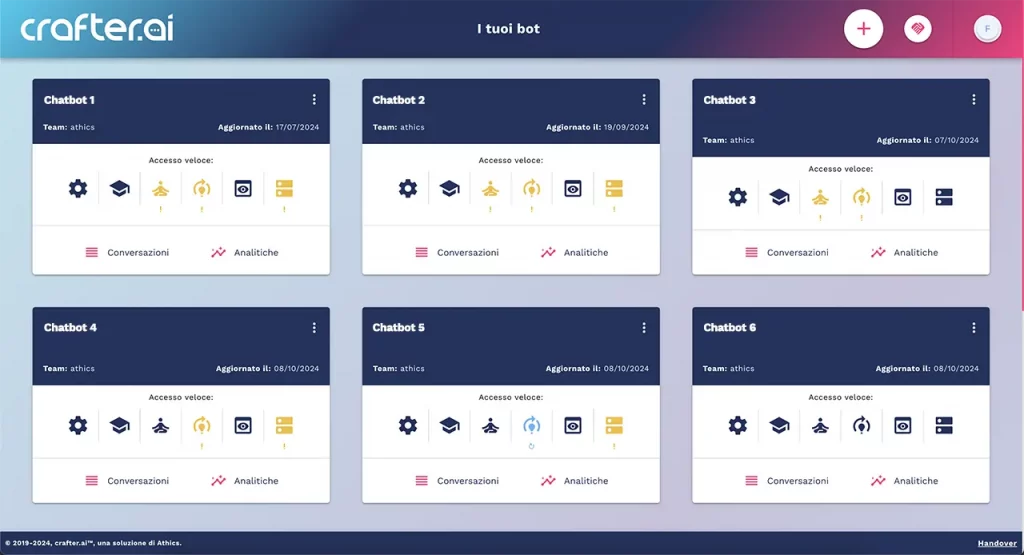
New home page of Crafter.ai chatbot platform with bot cards
October 2024

New Platform Home Page

The new release of the Crafter.ai platform's homepage represents chatbots in the form of cards, containing indicators for direct access to each single development stage, as well as the transcripts and analytics functions.

Benefits

  • Quick and intuitive access to key platform functions
  • Immediate overview of all chatbots status
Connector to integrate Crafter.ai chatbot in Microsoft Teams
September 2024

Microsoft Teams Connector

The connector allows the integration of the chatroom within MS Teams via API and enables chatbot conversation within this channel. Teams users can interact with the chatbot without switching channels.

Benefits

  • Teams users can interact with the chatbot without switching channels
  • Native integration within the existing work environment
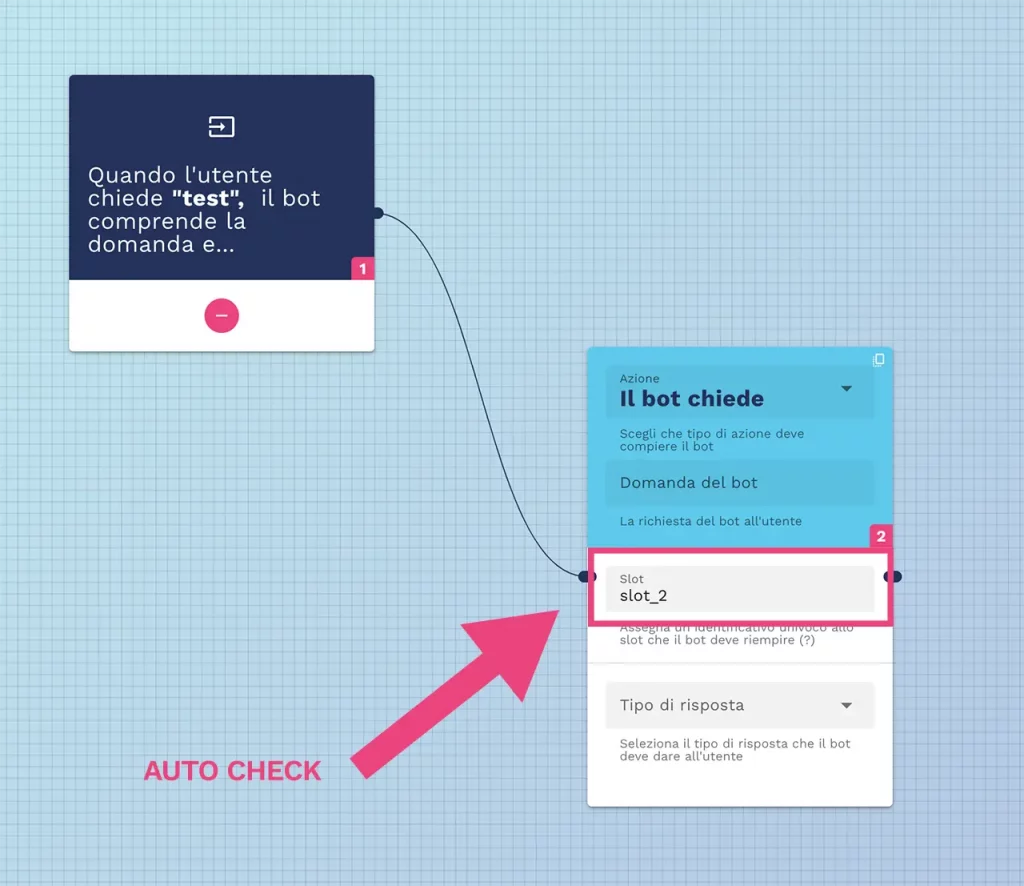
Automatic check of already assigned slot variables in chatbot flow designer
September 2024

Check Assigned Slots (Variables)

This feature checks if a slot (a variable used to collect information such as name, email, or preferences) has been assigned multiple times within the same flow. If the same slot is mistakenly used in multiple places, the function generates a validation error.

Benefits

  • Reduction of operational errors in flow creation
  • Greater efficiency and reliability in development
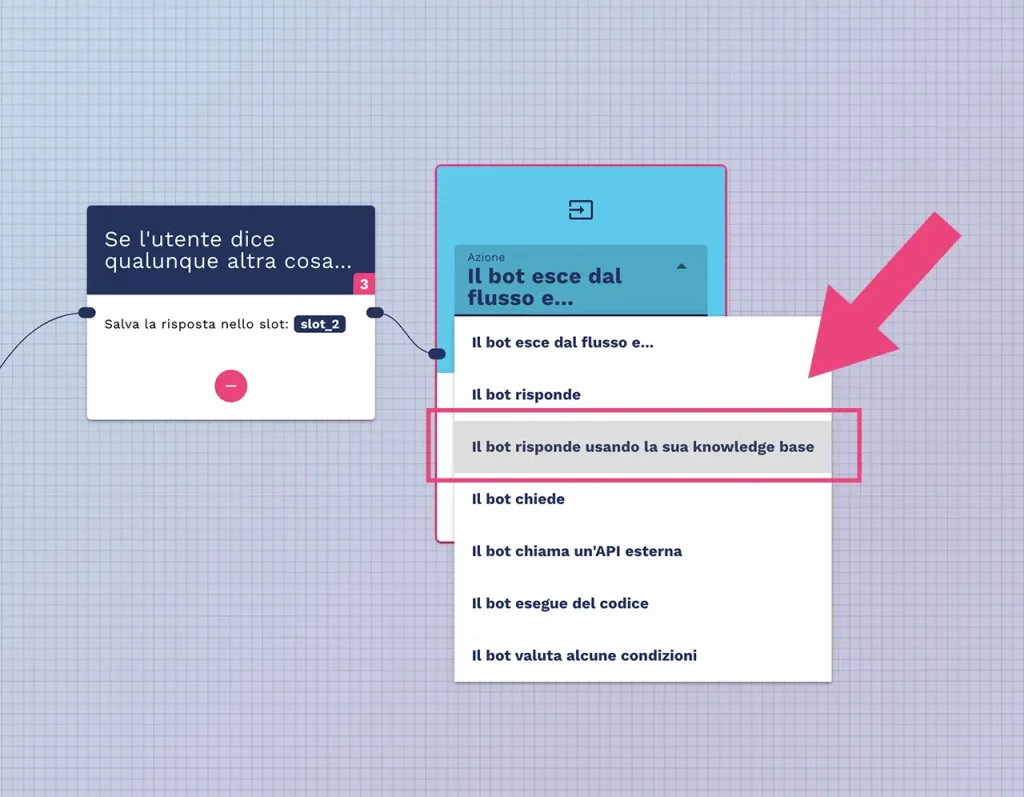
Knowledge base responses within chatbot conversational workflows
September 2024

Knowledge Base Responses Within Flows

In case the user asks a question instead of choosing between options in a conversational flow (e.g., YES/NO buttons), the chatbot automatically searches within the knowledge base to give the appropriate response without interrupting the conversation.

Benefits

  • Natural and fluid conversation even within structured flows
  • The chatbot never gets stuck and always provides a contextual response
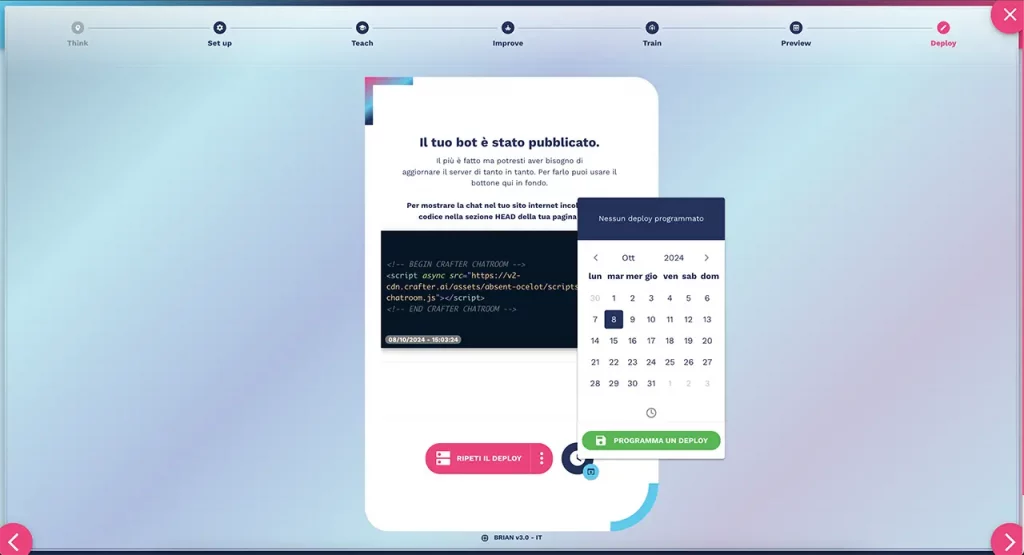
Scheduled deployment function of chatbot in Crafter.ai platform
August 2024

Scheduled Deployment

This feature allows users to schedule the chatbot deployment in advance, enabling them to select the exact day and time for the deployment through an intuitive interface, aligning the release with business needs.

Benefits

  • Plan go-live avoiding unwanted downtime periods
  • Align deployment timing with business needs
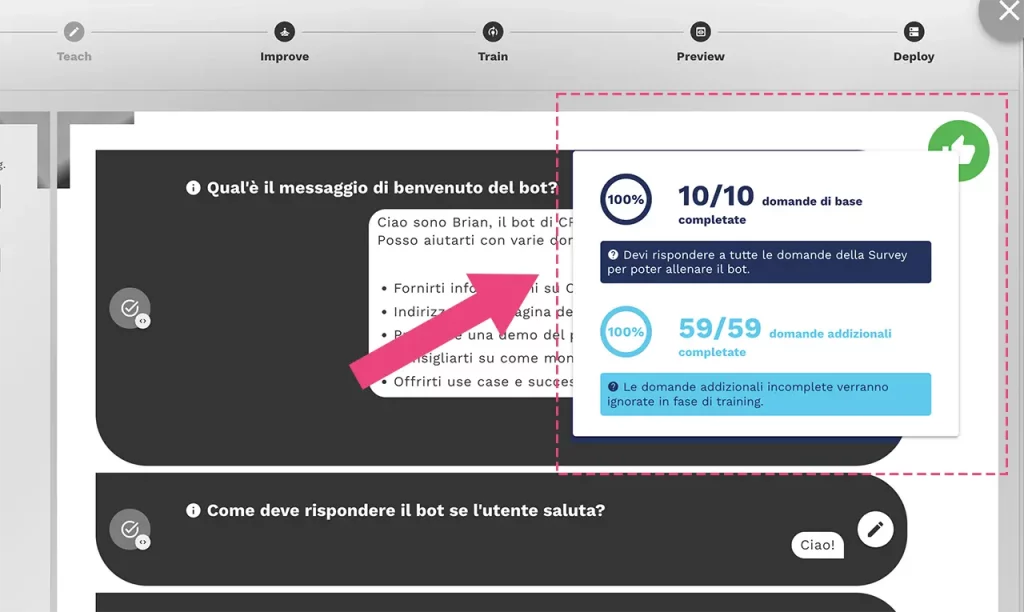
Knowledge base process completion indicators in Crafter.ai chatbot
August 2024

Knowledge Base Process Completion Indicators

New method for verifying the completion percentage of questions entered in the knowledge base. The view of indicators (tooltips) has been simplified and made accessible from a single card, containing more information and a clickable list of incomplete questions to edit.

Benefits

  • Quick check of the knowledge base completion percentage
  • Simplified and accessible progress monitoring
Drag and drop feature to reorder Crafter.ai chatbot knowledge base
August 2024

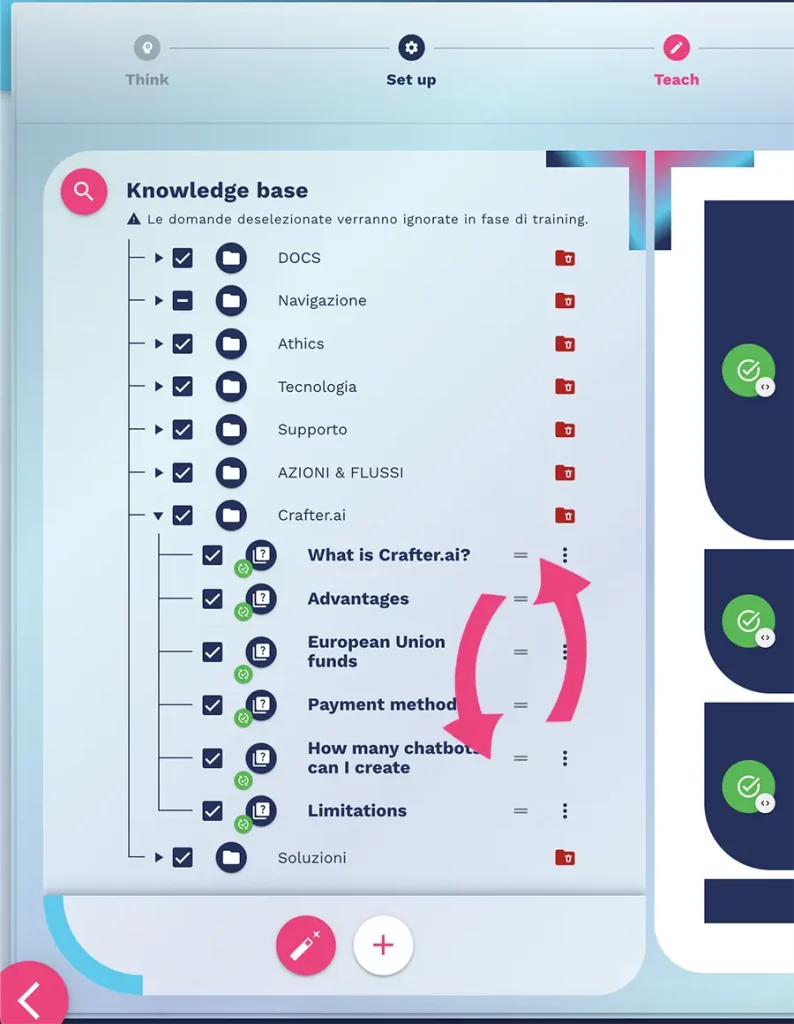
Drag & Drop Knowledge Base

The feature allows you to reorder the questions within the chatbot's knowledge base, changing their order or dragging them into destination folders using the drag & drop method for more intuitive management.

Benefits

  • Intuitive knowledge base organization through drag and drop
  • Optimized content management experience
Crafter.ai chatbot full screen activation
July 2024

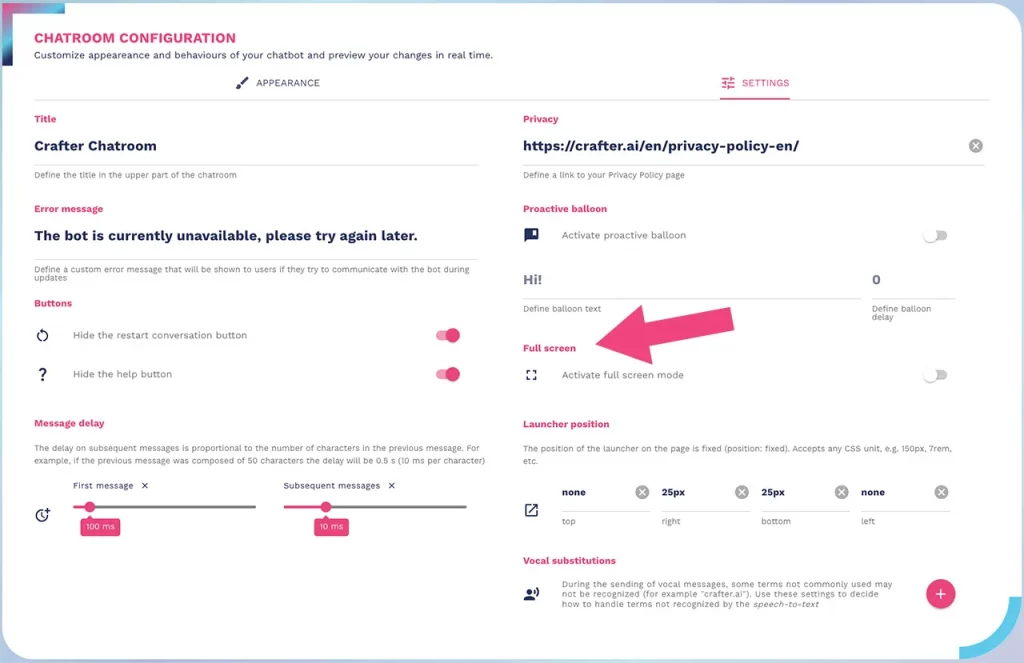
Full Screen Activation

A new button allows the activation of a wide screen chat room to bring the chatbot experience to full screen, ideal for creating engaging conversational landing pages.

Benefits

  • Create engaging conversational landing pages
  • Optimized full-screen user experience
Customization of Crafter.ai chatbot launcher position
July 2024

Customizable Launcher Position

The new function allows you to decide the exact position in which the chatbot launcher appears, by indicating the number of pixels, to maximize visibility and engagement.

Benefits

  • Maximize user experience with optimal positioning
  • Optimize chatbot visibility on the page
Disable user message sending in chatbot button flows
July 2024

Disable Sending Messages

When creating a new flow where the chatbot presents button selection, it is possible to disable the sending of messages by the user to avoid the simultaneous presence of different requests and keep the flow clean.

Benefits

  • Greater effectiveness of the guided conversational flow
  • Better user experience in multiple-choice flows
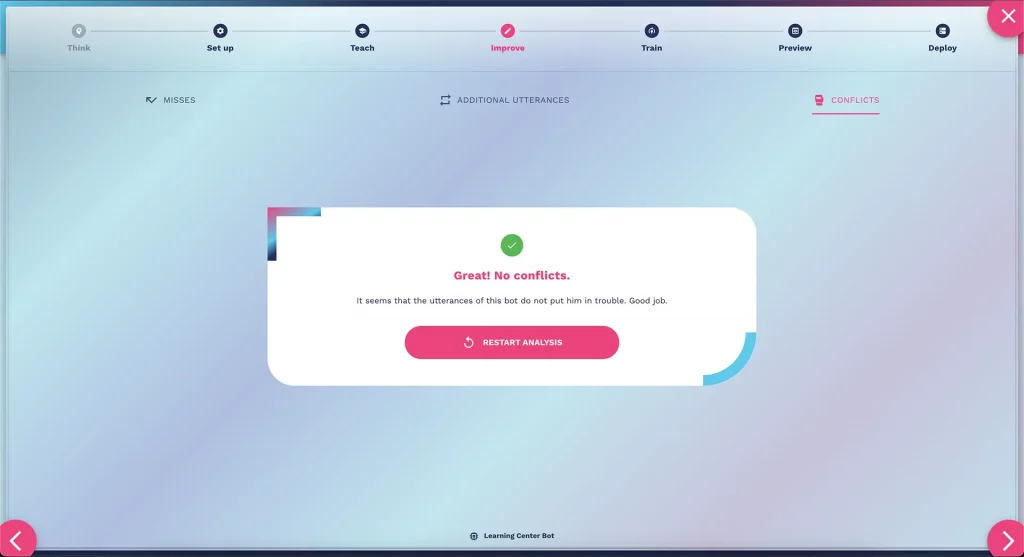
Conflict manager for automatic conflict detection in chatbot utterances
June 2024

Conflict Manager

The new function increases the chatbot's ability to understand intents thanks to the automatic reporting on utterances (additional variations of the bot's questions and answers) potentially in conflict with other utterances and/or intents.

Benefits

  • Increased chatbot understanding and accuracy
  • Optimized management of unrecognized messages (misses)
LLM analytics for monitoring AI-generated messages in chatbot platform
April 2024

LLM Analytics

The feature allows you to identify and access the analytics of the messages generated by the LLM and download the related report to analyze volumes and performance.

Benefits

  • Complete understanding and analysis of LLM-managed volumes
  • Monitoring of generative AI performance in production
Managing images and links in LLM responses of Crafter.ai chatbot
April 2024

LLM Link & Image Management

The feature allows the chatbot to manage and use images and links also within the content of the Q&A generated by the LLM, for richer and more personalized responses.

Benefits

  • Personalized responses with images and links in LLM-generated Q&As
  • Richer and more engaging content in AI conversations
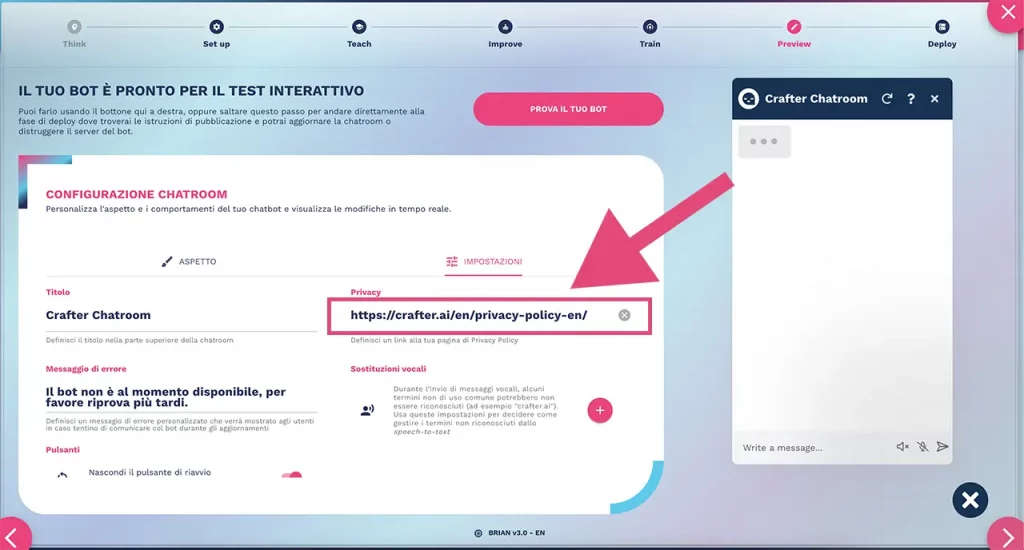
Privacy policy link configuration in Crafter.ai chatbot knowledge base
April 2024

Privacy Link Configuration

The function allows you to display a message referring to your privacy policy when configuring the knowledge base, suggesting an important step for creating chatbots compliant with privacy legislation.

Benefits

  • Suggests the fundamental step for chatbot privacy compliance
  • Creation of chatbots compliant with GDPR and privacy regulations
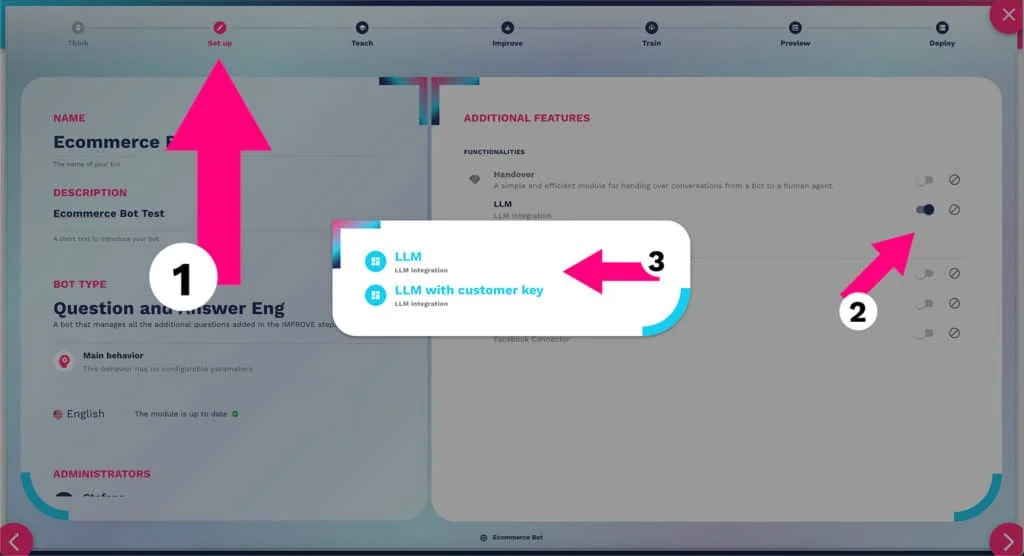
Large Language Model LLM integration in Crafter.ai chatbot platform
April 2024

Large Language Model Integration

Integration of a Large Language Model to support the knowledge base creation phase with new Q&As and utterances and the automatic generation of the bot's responses, for a ChatGPT-style conversational experience with a very low risk of hallucinations, precisely defining the perimeter established within the knowledge base.

Benefits

  • Optimization of chatbot creation and production times
  • Maximum conversation performance with minimal risk of hallucinations
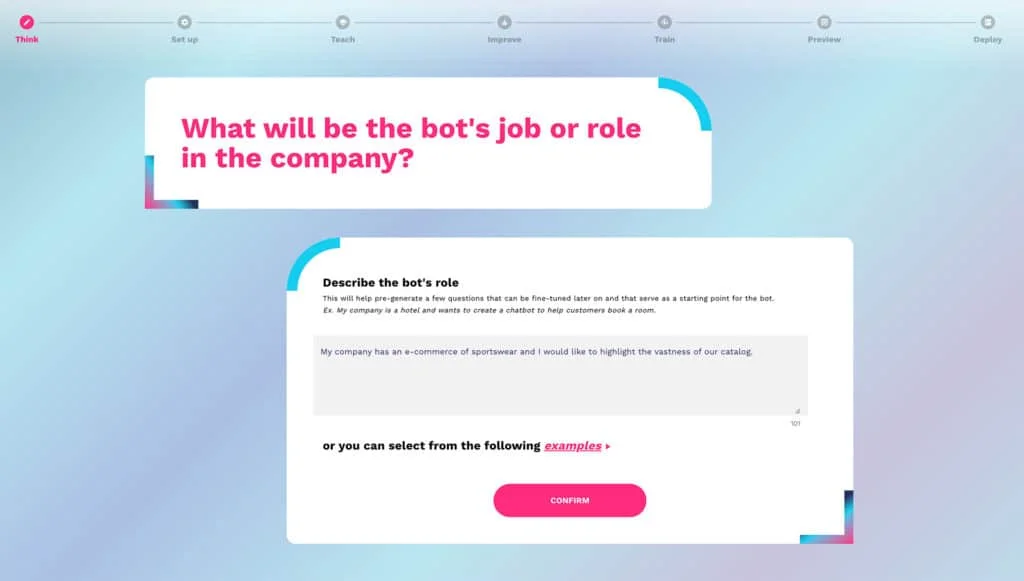
Generative AI integrated in Crafter.ai chatbot setup survey
April 2024

Generative AI in Set Up Survey

Integration of generative AI within the chatbot set up survey. The new feature allows you to automatically obtain the first Q&As to support the bot's knowledge base, suggested by the AI based on the tasks that the bot will need to be able to handle.

Benefits

  • Optimization of initial knowledge base creation times
  • Improved platform user experience from the very first setup
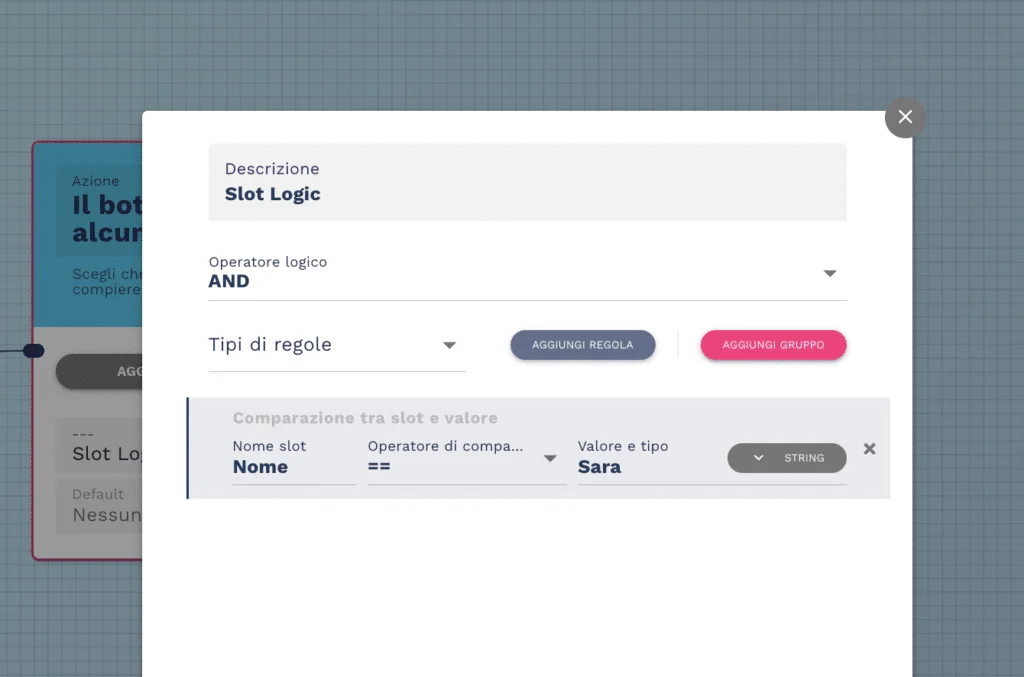
Slot logic in Crafter.ai chatbot platform Flow Designer
April 2024

Flow Designer Slot Logic

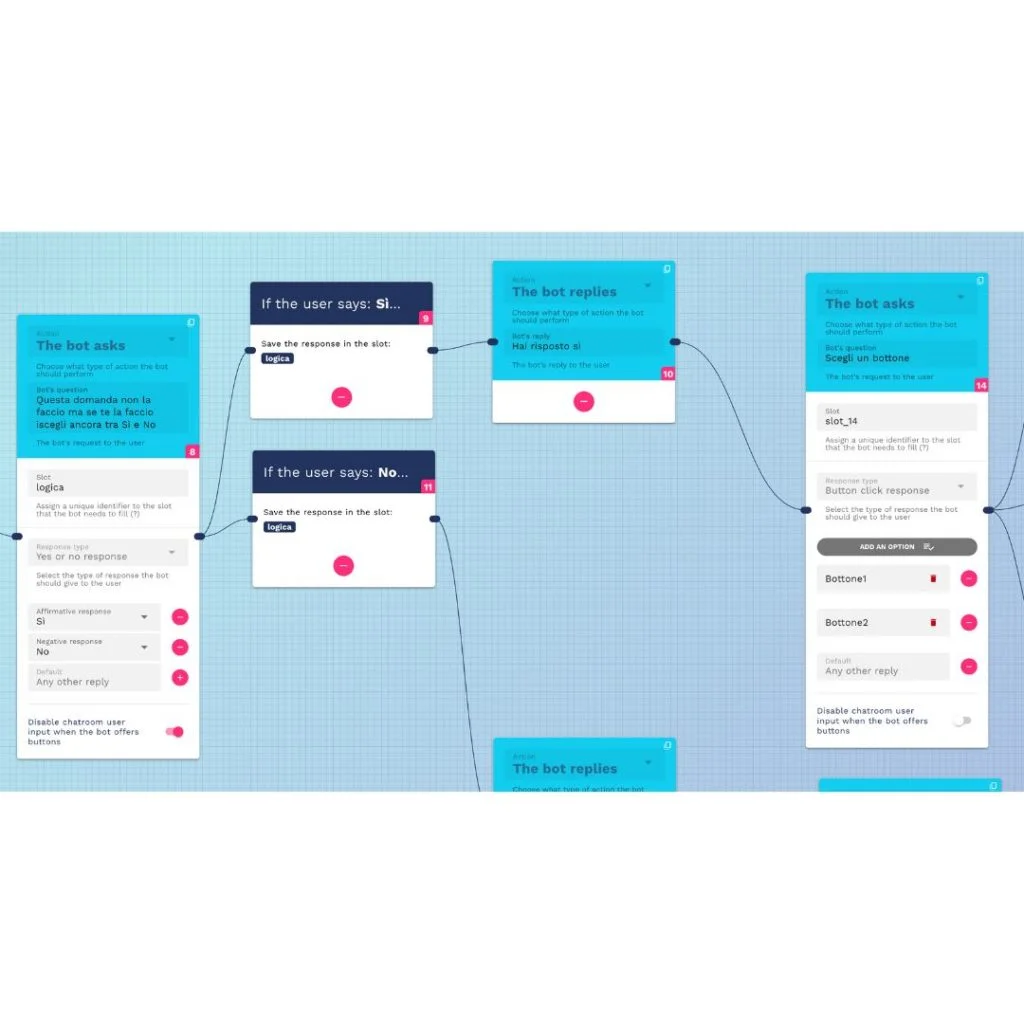
The "Flow Design" tool has been enhanced with a "slot logic" to allow users to create highly personalized conversational flows. Slots are variables within which the bot can save data useful for managing the conversation, allowing the chatbot to modify its behavior based on the inputs received.

Benefits

  • Creation of highly personalized conversation flows
  • Independently add new bot features without coding
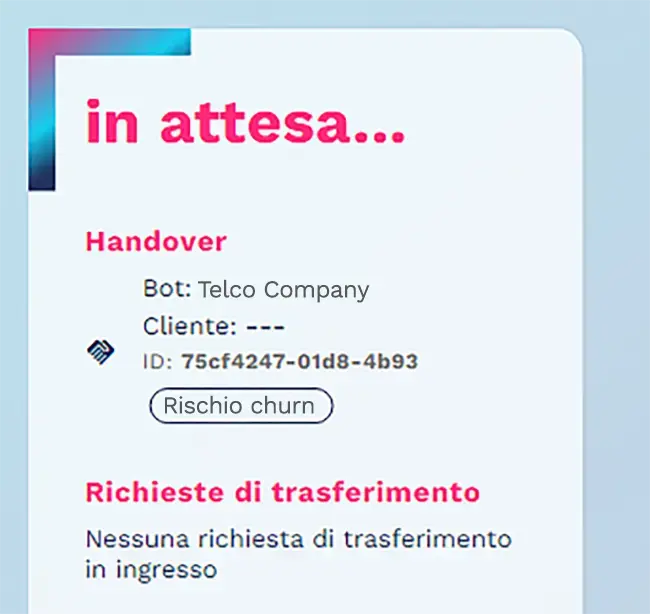
Handover and lead highlights feature to organize chatbot conversations by topic
March 2024

Handover & Lead Highlights

The feature allows the bot to associate and organize handovers and leads by topics. Operators can manage handovers or contact leads based on a priority or a specific topic, without having to open and view the content of each conversation.

Benefits

  • Optimized time management for handovers and leads
  • Priority management for more efficient user response
Q&A brick in Spanish and German for creating multilingual chatbot in Crafter.ai
March 2024

Q&A Brick in Spanish and German

Availability of new Q&A bricks in German and Spanish on the platform. The availability of Q&A sets optimized for knowledge base management in Spanish and German speeds up the creation and production of a multilingual chatbot.

Benefits

  • Cutting costs of translation and localization of multilingual Q&As
  • Optimization of multilingual chatbot creation times
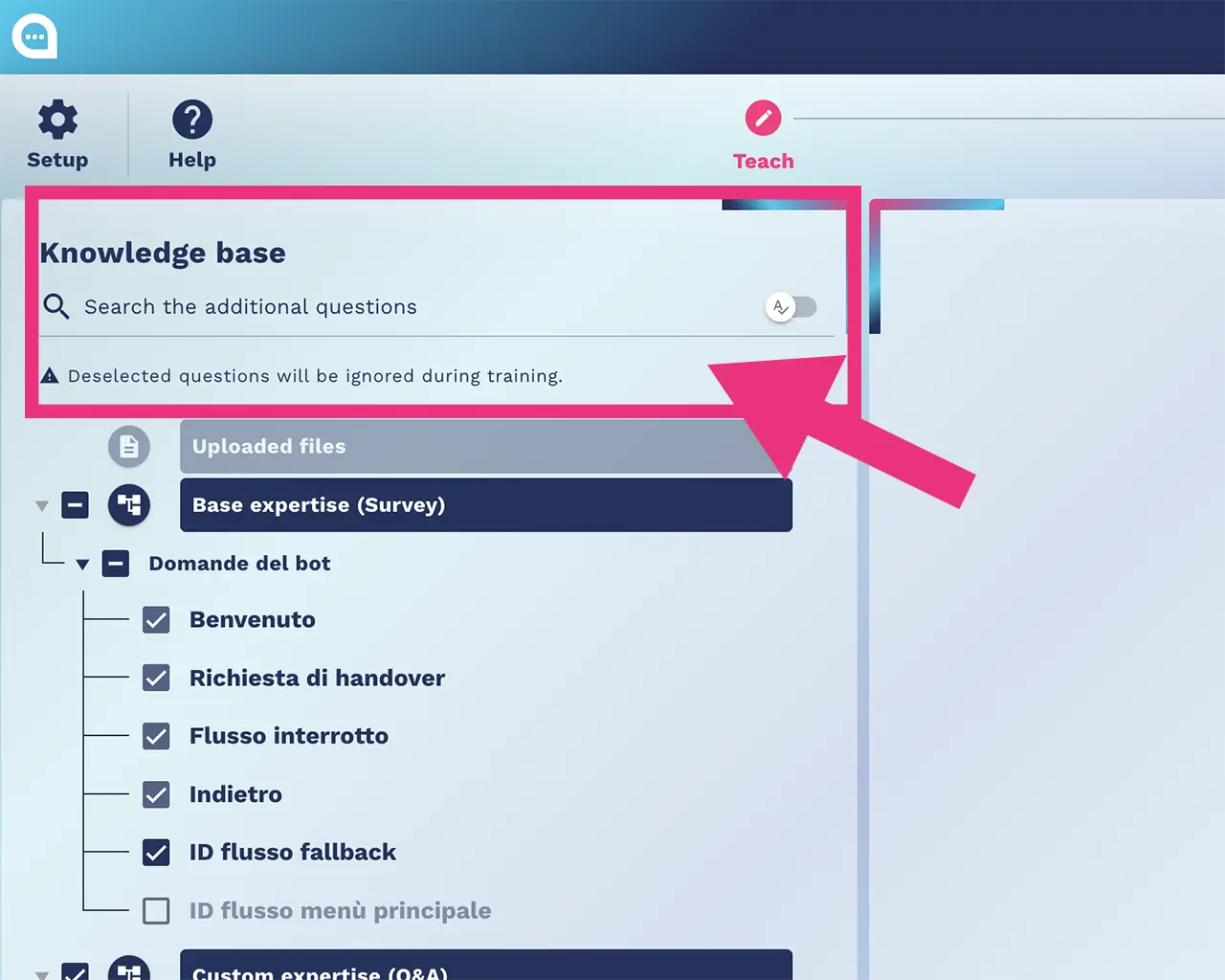
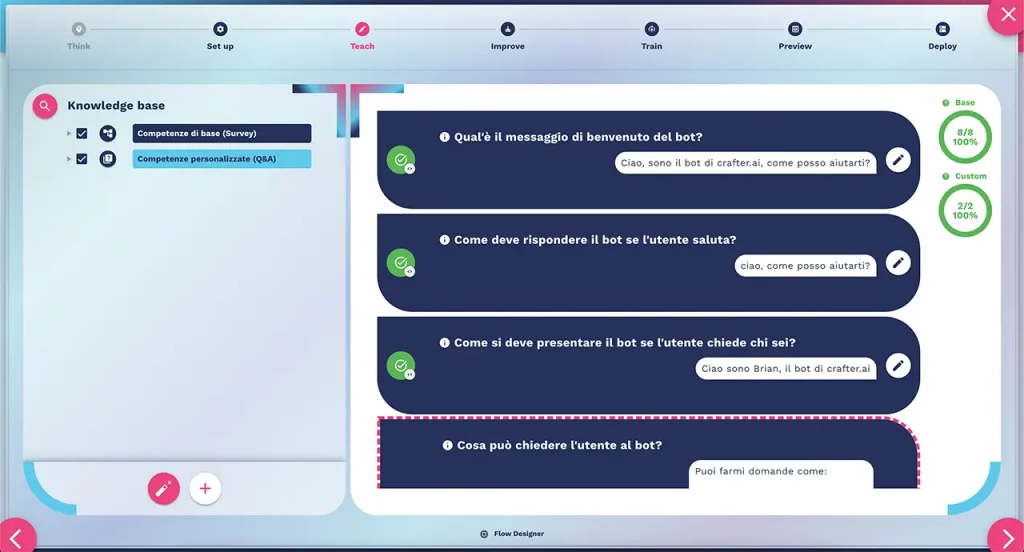
Simplified knowledge base in a single step in Crafter.ai chatbot platform
February 2024

Simplified Knowledge Base

The integration of knowledge base information has been concentrated in a single step. Within the Teach phase it is possible to add both basic expertise (questions identifying bot objectives and lead generation Q&As) and customized expertise (additional questions and conversational flows).

Benefits

  • Simpler and more intuitive knowledge base building process
  • Time saving in bot configuration and production
2023
5 features
Automatic misses recalc feature for automatic improvement of Crafter.ai chatbot
December 2023

Automatic Misses Recalc

The Automatic Misses Recalc feature is designed to simplify the chatbot improvement. After handling a miss, the system checks whether there are still untreated misses. If the bot can handle them, they are removed from the list, reducing maintenance times.

Benefits

  • Reduced maintenance times and bot improvement efficiency
  • Prevention of errors such as assigning the same utterance to different intents
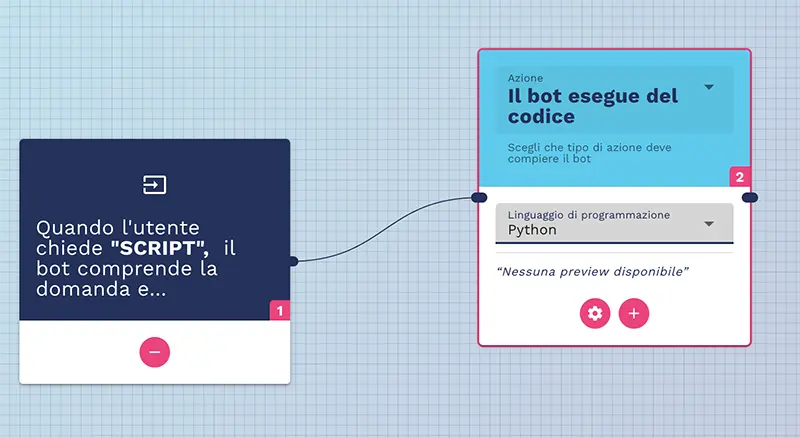
Flow Designer slot manipulation to apply code to Crafter.ai chatbot slots
December 2023

Flow Designer Slot Manipulation

The Flow Designer Slot Manipulation feature allows users to apply lines of code to the values contained in filled slots during a conversation. You can convert data into different formats, perform calculations, or apply logical rules directly from filled slots.

Benefits

  • Greater flexibility in chatbot customization
  • Complex calculations and data manipulation directly from conversational slots
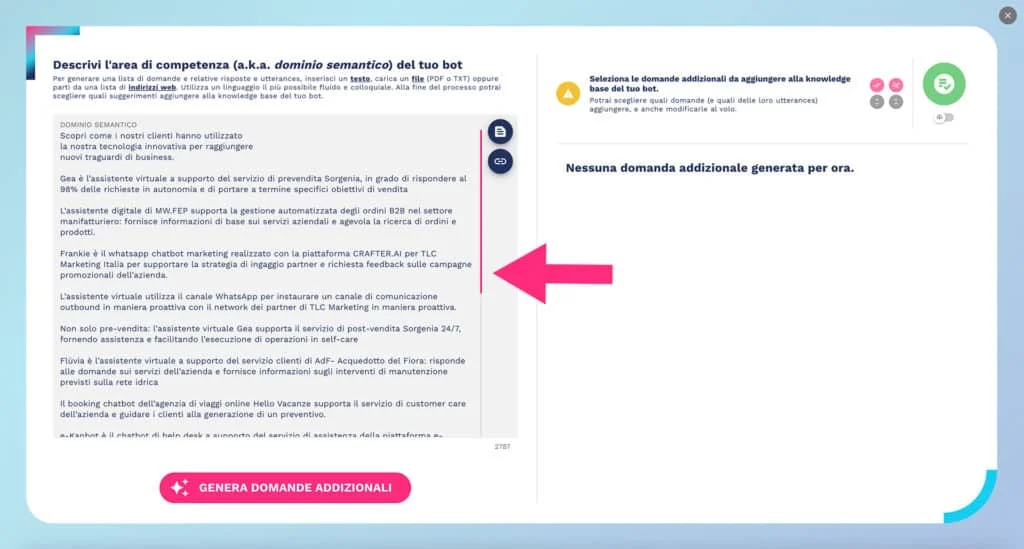
Knowledge Base Factory for automatic Q&A creation for chatbot via generative AI
October 2023

Knowledge Base Factory

The Knowledge Base Factory is an innovative tool that completely automates the process of creating questions and answers for chatbots. Q&As are always up to date and precise, based on content provided by the customer, significantly reducing development time and resources.

Benefits

  • Complete automation of Q&A creation to reduce time and costs
  • Guaranteed accuracy and constant updating of bot content
API integration in Crafter.ai chatbot Flow Designer to connect external services
September 2023

Flow Designer – API Integration

The API Integration function allows the chatbot to integrate with external API services, expanding its functionality and improving interaction with users. By reusing data from API calls, the chatbot can provide personalized responses based on user preferences and history.

Benefits

  • Integration with e-commerce, CRM and external marketing platforms
  • Personalized responses based on user data from API calls
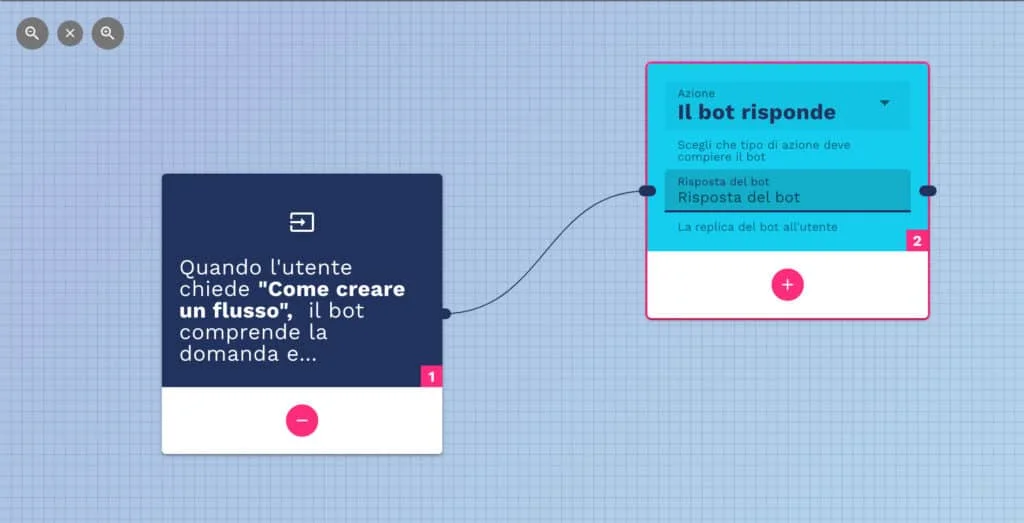
Flow Designer flows-linking to connect complex conversational flows in Crafter.ai
August 2023

Flow Designer – Flow Linking

The Flow Linking function allows you to link conversation flows together to manage longer and more complex conversations. It offers greater flexibility in the chatbot creation process, allowing developers to customize flow links based on specific project needs.

Benefits

  • Management of long and complex conversations through linked flows
  • Greater productivity in creating chatbots with advanced functionality

Frequently Asked Questions

How often are new features released on the Crafter.ai platform?
Crafter.ai releases new updates and features on a monthly basis. During 2024 and 2025, over 40 new features were released, covering areas such as LLM, RAG, Flow Designer, analytics and UI/UX improvements. In 2026, version 3 of the platform was launched, with a completely redesigned user experience.
What is the Crafter.ai proprietary RAG system?
The Crafter.ai proprietary RAG (Retrieval-Augmented Generation) system is a technology that combines contextual document search with LLM-based response generation. It ensures precise and fast responses even with large volumes of data, maintaining information security without sending it to third parties.
How does the chatbot Proactive Engagement feature work?
The Proactive Engagement feature allows the chatbot to automatically start a conversational flow in the welcome message, proactively guiding the user instead of waiting for the first question. You can configure whether to limit the conversation to the predefined flow or allow free questions.
Can I integrate the Crafter.ai chatbot with Microsoft Teams?
Yes, Crafter.ai offers a native connector for integrating the chatbot in Microsoft Teams via API. Once configured, Teams users can interact directly with the chatbot without having to switch platform or communication channel.
Does Crafter.ai chatbot support scheduled deployment?
Yes, the Scheduled Deployment feature allows you to plan the chatbot go-live in advance by selecting the exact day and time through an intuitive interface. This allows you to align the release with business needs and avoid unwanted downtime periods.
Crafter.ai

Try all the platform features

Access Crafter.ai and discover firsthand all the new features of the chatbot platform: from the proprietary RAG to generative AI, from the advanced Flow Designer to detailed analytics.